
10 Best File Conversion Tools in 2026
File conversion is essential for professionals and businesses dealing with diverse file types. Whether you need to convert PDFs to HTML, images, videos, or emails, the right tool can save time, ensure security, and maintain accuracy. Here's a quick overview of the 10 best file conversion tools in 2026:
- ConvertHub: Supports 800+ formats with batch processing and strong security. Pricing starts at $9/month.
- CloudConvert: Handles 200+ formats, offers API integration, and flexible pay-as-you-go pricing.
- Convertio: Browser-based, supports 300+ formats, and offers plans starting at $9.99/month.
- Foxit PDF Converter: Focused on PDFs with OCR and advanced security features. Free and paid options available.
- Adobe Acrobat PDF Converter: Industry leader for PDF workflows, starting at $12.99/month.
- PDFShift: Specialized in HTML-to-PDF via API, priced from $7.50/month.
- Converter365: Converts 1,000+ formats, with a free plan and custom pricing for enterprises.
- Stellar Converter for OST: Converts Outlook OST to PST files, starting at $79/year.
- Kernel OST to PST Converter: Handles email recovery and conversion, with plans from $69/year.
- CoolUtils Total Outlook Converter: Offline email conversion tool, one-time purchase at $49.90.
Quick Comparison
| Tool | Formats Supported | Batch Processing | Security Features | Pricing | Best For |
|---|---|---|---|---|---|
| ConvertHub | 800+ | Yes | 256-bit encryption, GDPR | From $9/month | Broad format support |
| CloudConvert | 200+ | Yes (API) | ISO 27001, GDPR | Free/pay-as-you-go | Developers, API integrations |
| Convertio | 300+ | Yes | SSL encryption | From $9.99/month | Fast, general conversions |
| Foxit PDF Converter | PDF-focused | Yes | AES-256 encryption | Free/subscription | PDF workflows |
| Adobe Acrobat | PDF ecosystem | Yes | Enterprise-grade security | From $12.99/month | Complex PDF tasks |
| PDFShift | HTML to PDF | Yes (API) | GDPR-compliant API | From $7.50/month | HTML-to-PDF automation |
| Converter365 | 1,000+ | Yes | Cloud-based encryption | Free/custom plans | Rare file types |
| Stellar Converter for OST | Email formats (OST to PST) | Yes | Local processing | From $79/year | Email migration |
| Kernel OST to PST | Email formats (various) | Yes | Local processing | From $69/year | Email recovery |
| CoolUtils Total Outlook Converter | Email formats (PST, OST) | Yes | Offline, PDF encryption | $49.90 one-time | Secure email conversion |
Each tool caters to specific needs, from general file conversion to specialized tasks like email data recovery. Choose based on your workflows, data security requirements, and budget.
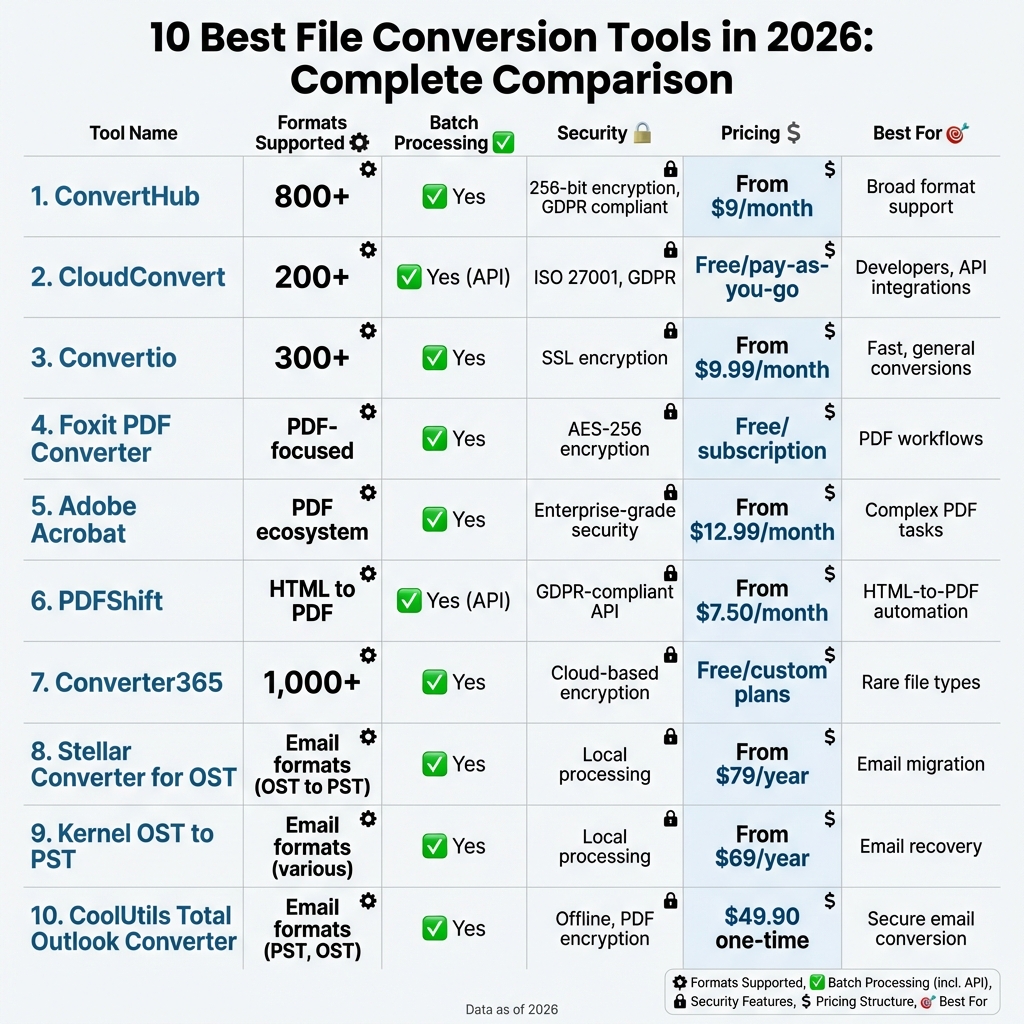
10 Best File Conversion Tools 2026: Features, Pricing & Security Comparison
Top File Converters | My Expert Picks (Online & Offline)
sbb-itb-ba72479
1. ConvertHub
ConvertHub offers support for over 800 format conversion pairs across more than 100 file types, spanning eight categories: Images, Documents, Audio, Video, E-Books, CAD, Fonts, and Archives. Whether you need to switch a HEIC photo to JPG, convert a LaTeX document to PDF, or handle CAD files like DXF, this platform has you covered. Its ability to manage both common and specialized formats makes it a go-to tool for busy professionals.
Conversion Speed and Batch Processing
Most conversions happen in just seconds. Paid users get priority processing, and the API can manage up to 60 requests per minute. With a 99.9% uptime guarantee, the platform ensures reliability. If you're a paid subscriber, you can also take advantage of batch processing, which lets you convert multiple files at once and download them as a single ZIP archive.
Beyond speed, ConvertHub focuses on efficiency while keeping your data secure.
Data Security and Privacy
ConvertHub takes data protection seriously. It uses 256-bit end-to-end encryption and bank-grade SSL/TLS protocols for file transfers. Thanks to its "Zero Access Policy", all conversions are fully automated, ensuring no staff can view your files. Subscribers can choose between automatic file deletion after conversion or manual storage for later use. The platform operates on infrastructure hosted in ISO 27001-certified data centers, powered by Cloudflare R2, and complies fully with GDPR regulations.
"The API is well-documented, easy to integrate, and respects privacy. If you're looking for a file conversion API that just works, ConvertHub is a smart choice."
- Marko Denic, markodenic.tech
Pricing and Affordability
ConvertHub uses a flexible, credit-based pricing system that matches its speed and security features. Simple conversions (like JPG to PNG) cost 1 credit, while more complex tasks (like PDF to Excel) require 2–3 credits. Files larger than 50MB incur a 3× credit multiplier.
Monthly plans start at $9 for 300 credits and go up to $99 for 12,000 credits, while pay-as-you-go options begin at $10 for 200 credits, which don’t expire. Guest users can perform 1 free conversion daily with a 20MB file size limit, while registered free accounts receive 10 credits and a 50MB limit. Subscribers enjoy file size limits up to 2GB, and credits roll over as long as the subscription remains active.
2. CloudConvert
Since its launch in 2012, CloudConvert has been trusted by 47 million users. It supports over 200 file formats across eight major categories: documents, images, videos, audio, ebooks, spreadsheets, presentations, and archives. Whether you need to convert iPhone-specific formats like HEIC and MOV or handle more specialized file types, CloudConvert provides options to fine-tune quality settings. Let’s dive into its extensive format support, strong security features, and flexible pricing.
Supported File Formats
CloudConvert handles an impressive range of file types - more than 200 formats across documents, images, videos, audio files, and more. You can convert common office files like DOC, DOCX, and PDF, images like PNG, JPG, SVG, and HEIC, video formats such as MP4, AVI, MOV, and WEBM, and audio files like MP3, AAC, and FLAC. Beyond simple conversions, CloudConvert offers advanced features like merging multiple files into a single PDF, extracting compressed files directly from cloud storage, and even capturing entire websites as PDFs or screenshots.
Integration with cloud storage platforms like Google Drive, Dropbox, OneDrive, Amazon S3, and Azure makes file access and saving seamless. This makes it easy to work directly from your preferred storage service without extra steps.
Data Security and Privacy
CloudConvert takes data security seriously. The platform is ISO 27001 certified and audited by TÜV Süd, utilizing cloud providers like AWS that also meet ISO 27001 standards. Each file conversion occurs in an isolated container, secured with SSL encryption, ensuring no staff has access to your data. Additional safeguards include two-factor authentication and OAuth 2.0 for API access.
As a German company (Lunaweb GmbH), CloudConvert adheres to strict European data protection regulations, including GDPR. For added assurance, the platform offers Data Processing Agreements (DPA). Files are automatically deleted after processing, so your data isn’t stored longer than necessary. Paid users also benefit from a 99.9% Service Level Agreement (SLA) for reliability.
Pricing and Affordability
CloudConvert uses a flexible, credit-based pricing system. Most conversions cost 1 credit per minute, while Office-to-PDF conversions require 2 credits, and PDF-to-Office conversions cost 4 credits. The free plan allows up to 10 conversions per day.
For heavier usage, monthly subscriptions start at $10.00 for 1,000 credits, which works out to about $0.0100 per credit. One-time credit packages start at $18.00 for 1,000 credits, or $0.0180 per credit, with no expiration on unused credits. While monthly credits don’t roll over, subscriptions can save users up to 50% compared to pay-as-you-go options. Businesses can also benefit from Team Billing, which lets organizations manage a shared account with unlimited members while keeping individual files and conversions private.
3. Convertio
As of February 2026, Convertio has processed an impressive 3,191,036,609 files and managed over 58,299 TB of data. With support for more than 300 file formats and over 25,600 conversion combinations, it’s a powerful browser-based tool that operates entirely in the cloud. This means your device’s processing power remains untouched. With a 4.6/5 star rating from nearly 30 million user votes, it’s clear that Convertio is a favorite for many.
Supported File Formats
Convertio covers a wide range of file types, including documents, images, videos, audio, ebooks, archives, fonts, CAD files, and vectors. Here’s a breakdown of some formats you can work with:
- Documents: PDF, DOCX, XLSX
- Images: JPG, PNG, HEIC, RAW (e.g., ARW, CR2, NEF)
- Videos: MP4, MOV, WEBM
- Audio: MP3, WAV, FLAC
- Ebooks: EPUB, MOBI, AZW3
- Fonts: TTF, OTF, WOFF
- CAD/Vector Files: DXF, AI, EPS
The platform also offers customization options for video conversions, such as adjusting codecs, quality, and aspect ratios. You can even rotate or flip footage. Most conversions are completed in under two minutes.
Conversion Speed and Batch Processing
Thanks to its distributed cloud processing, Convertio speeds up conversions while reducing the workload on your device. You can process multiple files at once by uploading them directly from your device, via a URL, or through cloud storage services like Dropbox and Google Drive.
Data Security and Privacy
Convertio places a strong emphasis on security. File transfers are protected with SSL encryption during both uploads and downloads. Once a conversion begins, the uploaded files are deleted immediately, and the converted files are automatically removed from servers after 24 hours. This ensures your files don’t linger online longer than necessary. Additionally, Convertio guarantees that no third parties can access your files.
Pricing and Affordability
Convertio offers a free plan that supports files up to 100 MB, allows for two concurrent conversions, and provides 10 conversion minutes daily. For users with larger files or higher conversion demands, there are paid plans:
- Light Plan: $9.99/month – Supports files up to 500 MB, 25 concurrent conversions.
- Basic Plan: $14.99/month – Supports files up to 1 GB, 50 concurrent conversions, with high-priority processing.
- Unlimited Plan: $25.99/month – No file size limits, unlimited concurrent conversions, and the highest priority.
All paid plans remove ads and allow unlimited daily conversion minutes.
4. Foxit PDF Converter
Foxit PDF Converter is a standout choice for handling PDF files, offering a wide range of conversion options. It allows you to convert files like Word (DOC, DOCX), Excel (XLS, XLSX), PowerPoint (PPT, PPTX), images (JPG, PNG), TXT, and HTML into PDF format. Likewise, it can convert PDFs back into Word, Excel, PowerPoint, JPG, and PNG formats. What’s more, it uses Optical Character Recognition (OCR) technology to turn scanned documents into searchable and editable files.
Supported File Formats
Foxit’s online version works seamlessly across Windows, macOS, Linux, iOS, and Android, accessible via any modern web browser. It preserves the original layout, fonts, tables, and images during conversion. Additional features include merging, compressing, and password-protecting files, making it a well-rounded tool.
Conversion Speed and Batch Processing
The online converter processes files in a matter of seconds, making it a great choice for quick tasks. While you can upload multiple files at once through the web interface, high-volume batch processing and automation require the desktop version, Foxit PDF Editor. Its PDF to Excel tool is especially noteworthy, boasting a 4.83/5 rating from 31,015 votes, highlighting its speed and accuracy.
Data Security and Privacy
Foxit prioritizes file security. All file transfers are protected using HTTPS with TLS 1.2 and encrypted with AES-256. Files are deleted immediately after conversion, ensuring that no content is stored, shared with third parties, or used to train AI models. For enterprise users, the desktop version provides redaction tools to permanently remove sensitive information. The online tool, however, limits file uploads to a maximum size of 10 MB for certain converters.
Pricing and Affordability
Foxit’s online tools are free and require no registration. For advanced features like unlimited conversions, enhanced batch processing, and improved OCR capabilities, the desktop Foxit PDF Editor is available. It includes a 14-day trial and can be accessed through monthly or yearly subscriptions.
5. Adobe Acrobat PDF Converter
Adobe continues to push boundaries in file conversion by integrating generative AI into its Adobe Acrobat PDF Converter, making workflows smoother and more efficient. As of 2026, this tool supports an impressive range of file formats. You can convert Microsoft Word (.doc, .docx), Excel (.xls, .xlsx), PowerPoint (.ppt, .pptx), images (JPG, PNG, TIFF, BMP, GIF), HTML web pages, text files (.txt), and Rich Text Format (.rtf) into PDFs. Similarly, it allows exporting PDFs back into Word (.docx), Excel (.xlsx), PowerPoint (.pptx), various image formats, HTML, RTF, plain text, and PostScript. It’s available across platforms, including desktop apps for Windows and macOS, web browsers, and mobile apps for iOS and Android.
Supported File Formats
Adobe has taken its file conversion game to the next level by embedding generative AI tools like AI Assistant and "PDF Spaces" directly into the application. These features allow users to interact with documents, create summaries, and draft content without ever leaving the app. The platform also supports clipboard and web page conversions, enabling the creation of PDFs from virtually any source. Over the past 18-24 months, more than 8 million files have been uploaded to Adobe’s online conversion services, earning the platform a 4.8/5 star rating from 76,355 user reviews. These advancements make it a go-to solution for managing high-volume tasks effortlessly.
Conversion Speed and Batch Processing
Adobe Acrobat’s online tools are perfect for quick, single-file conversions - ideal when you just need to convert a Word document or Excel file without opening the desktop app. For more demanding workloads, Acrobat Pro offers features like "Watched Folders" and automation settings for batch processing. Users can also sign in to save converted files directly to their cloud accounts.
Data Security and Privacy
Adobe places a strong emphasis on file security. Features include password protection, certificate-based encryption to limit printing, editing, and copying, and redaction tools to permanently erase sensitive text and metadata before sharing. Files uploaded to the online tools are handled securely and automatically deleted unless saved to your account. Additionally, Protected View acts as a safeguard, isolating potentially harmful PDF content from your system resources.
Pricing and Affordability
Adobe offers a variety of pricing options to suit different needs. Over 25 free online tools are available for basic tasks like conversions, compression, and signing. For more advanced features, paid plans start at $1.99/month for Acrobat Export PDF (billed annually at $23.88/year), covering basic PDF to Word or Excel conversions. Acrobat Standard is priced at $14.99/month, while Acrobat Pro costs $19.99/month (both billed monthly with an annual subscription) and includes advanced tools like redaction and bulk e-signatures. For those seeking the full package, Acrobat Studio ($24.99/month) includes AI Assistant, PDF Spaces, and Adobe Express Premium. A 7-day free trial is also available for the Pro version, giving users a chance to explore its features before committing.
6. PDFShift
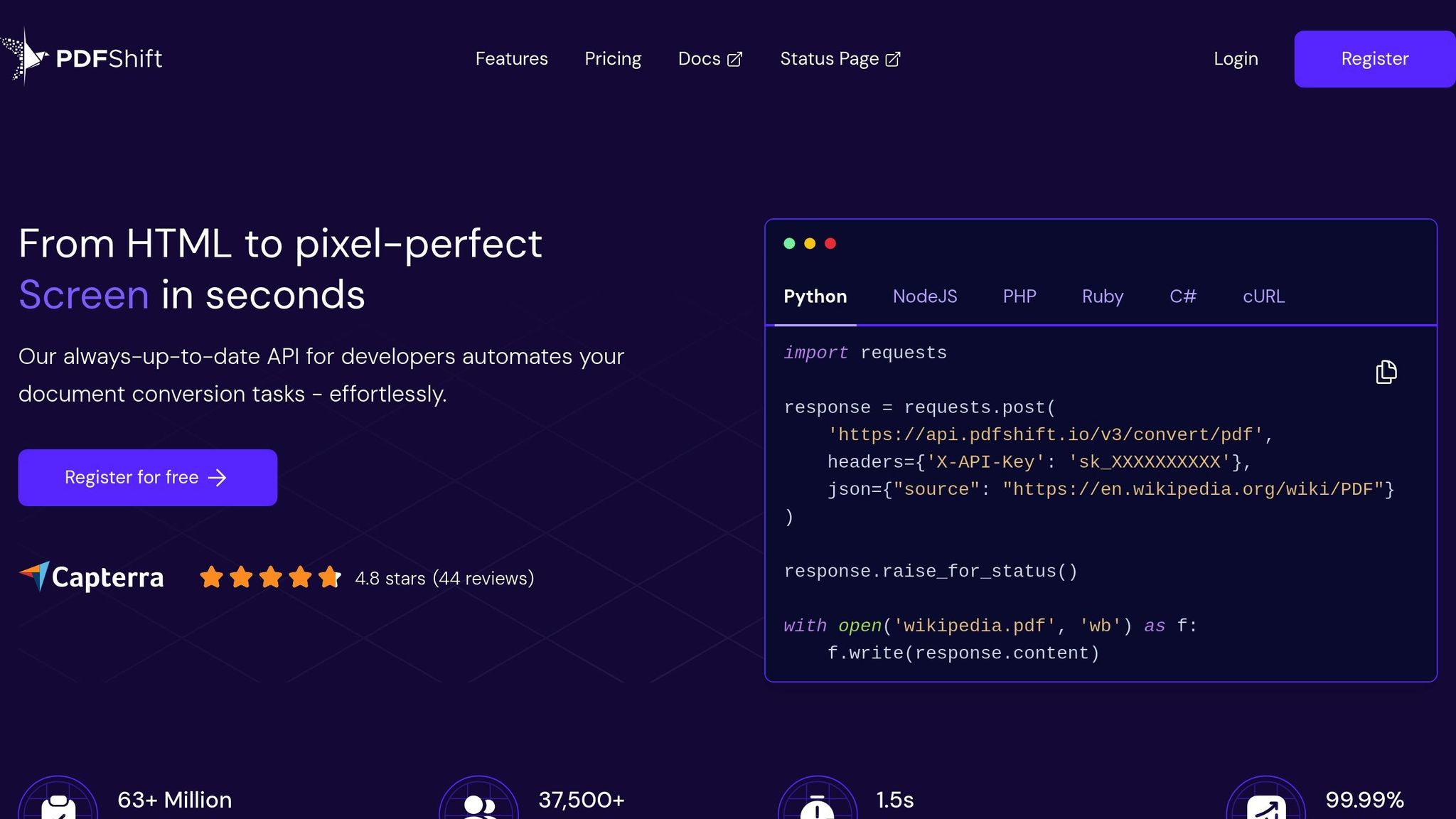
PDFShift is an API designed specifically for developers, offering a way to convert HTML and CSS into high-quality PDFs. Established in 2018 in France, it caters to businesses and developers who need to automate the process of generating PDFs from web content. Here's a closer look at what makes PDFShift stand out.
Supported File Formats
PDFShift focuses solely on converting HTML into PDFs. It handles HTML pages, CSS styles, and web links, making it a great tool for creating documents like invoices, reports, or receipts from web-based templates. However, it doesn't support other formats like Word, Excel, or PowerPoint.
Conversion Speed and Batch Processing
One of PDFShift's strengths is its speed. It can generate a PDF from a webpage link in just a few seconds. The API also allows for multiple conversions to be triggered programmatically, making it easy to integrate into automated workflows that require minimal manual intervention.
Data Security and Privacy
PDFShift adheres to European GDPR standards, ensuring a strong focus on data privacy. It offers around-the-clock support and provides detailed online documentation to guide users. The platform is versatile, supporting deployment on the cloud, on-premises, and across various operating systems and mobile devices.
Pricing and Affordability
The service starts at $9.00 per month, with options for both monthly and yearly plans. Developers can test the waters with a free version or a free trial before committing to a paid plan. With a 4.4/5 rating from 34 reviews on SaaS Adviser, PDFShift is praised for its reliability and smooth integration into existing systems.
7. Converter365
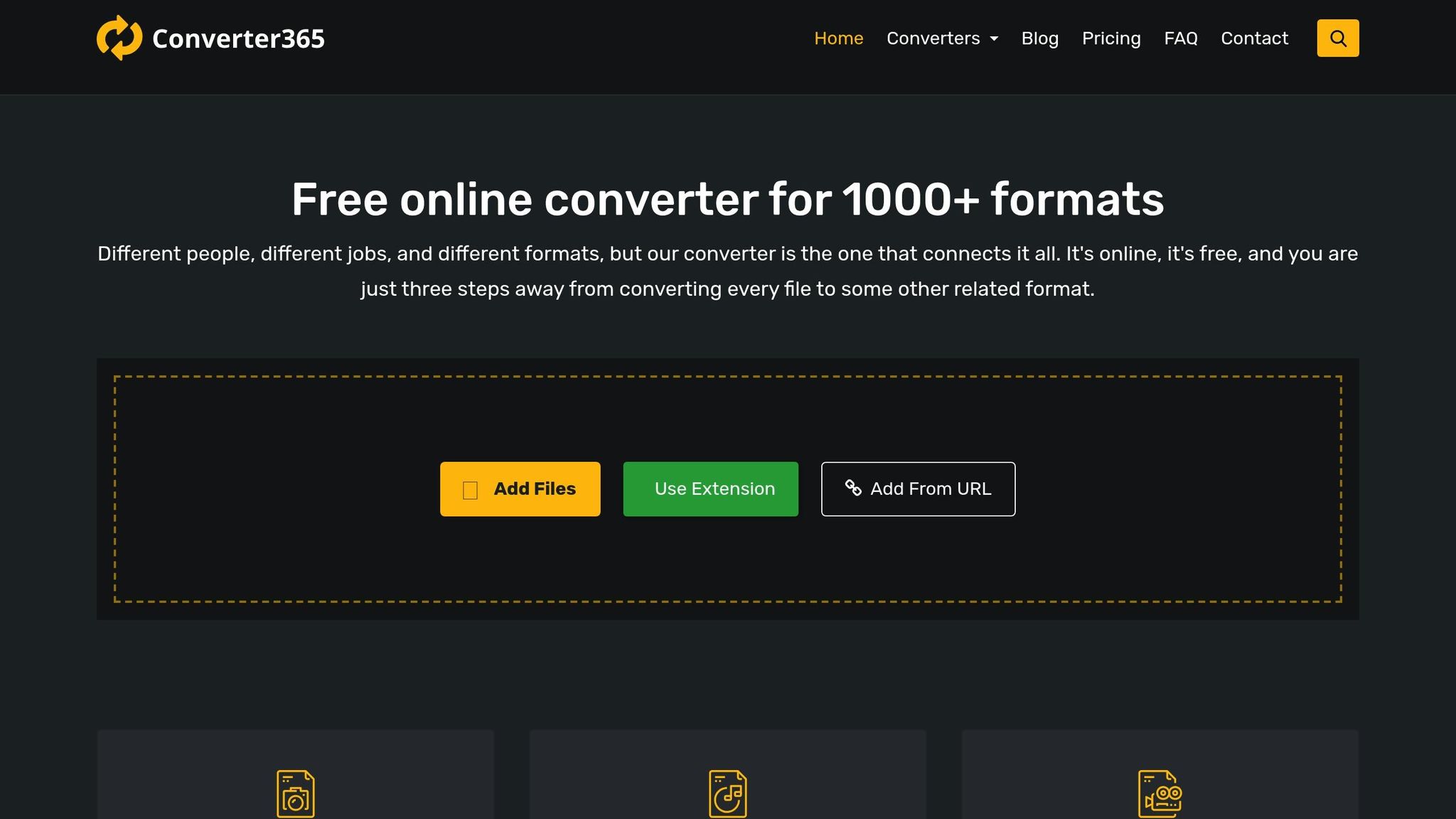
Converter365 is an online tool designed to handle over 1,000 file formats. It’s a go-to solution for anyone juggling various file types, offering seamless conversion across documents, multimedia, and more. Here’s a closer look at its features.
Supported File Formats
This platform covers a broad spectrum of file categories, including images, audio, video, documents, archives, spreadsheets, e-books, presentations, and vectors. For example, you can convert XLS documents directly into image formats like JPG or PNG, which is handy when you need to share files as images. Its versatility makes it especially appealing to professionals working across different media.
Conversion Speed and Batch Processing
Converter365 is built for speed, completing conversions in just seconds. Whether you’re handling a single file or processing multiple files in bulk, it ensures that your files are converted quickly and without compromising quality.
Pricing and Accessibility
The platform offers a free-forever plan, making it a great choice for casual users. For those with more demanding needs, a custom plan is available. However, it doesn’t currently offer a one-time purchase option. User feedback has been overwhelmingly positive, with a 4.7/5 rating from 9 reviews on SaaSworthy and a 4.8/5 rating from 6 reviews on SaaS Adviser.
8. Stellar Converter for OST
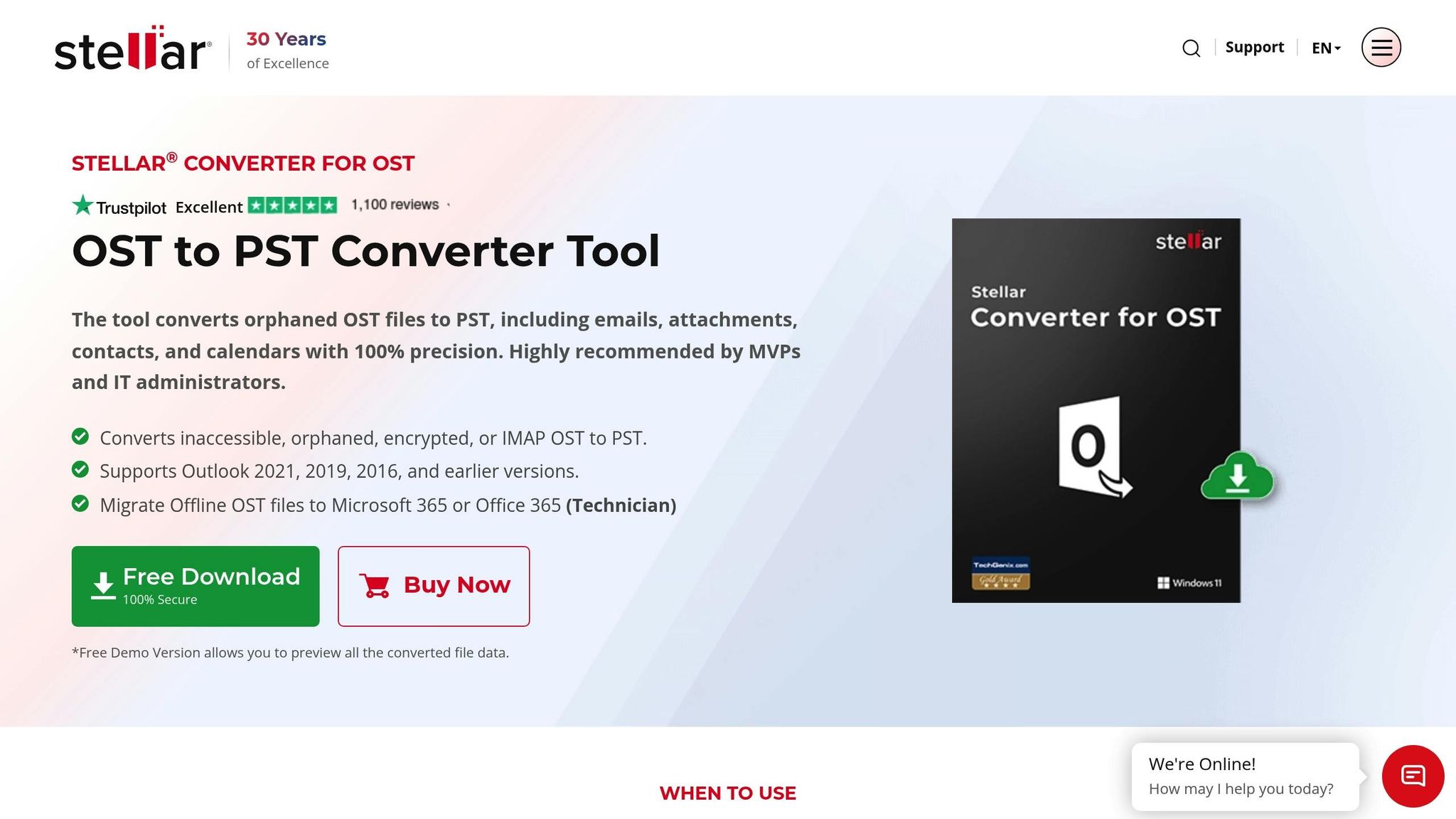
Stellar Converter for OST is a tool designed to convert Outlook Offline Storage (.OST) files into Personal Storage Table (.PST) files. It’s particularly useful when an Exchange Server is down or Outlook profiles become inaccessible, ensuring you can regain access to your mailbox data. Stellar has been providing data care solutions since 1993.
Supported File Formats
While its main function is converting OST files to PST, this software also allows users to save individual email messages in various formats like MSG, EML, RTF, HTML, and PDF. It supports encrypted OST files, retrieves deleted emails, and works with orphaned and IMAP-based OST files, ensuring accuracy every time.
Conversion Speed and Batch Processing
The software is efficient, converting 1 GB of data in about 7 minutes. It automatically splits PST files larger than 45 GB to prevent corruption. For organizations, the Technician and Toolkit editions offer batch processing, enabling the conversion of multiple OST files at once. Additionally, users can save conversion progress as a .DAT file, allowing them to resume later without rescanning the original OST file.
Data Security and Privacy
All conversions are performed locally on your system, meaning your data stays secure and isn’t uploaded to cloud servers or third-party platforms. The tool maintains the original folder structure and ensures all mailbox items - emails, attachments, contacts, and calendars - remain intact. A three-pane preview window lets you review your data before completing the conversion, while detailed log reports provide a clear audit trail.
"Stellar Converter for OST converted all items from OST file to PST with complete integrity & precision." - TweakTown
This commitment to preserving email accuracy makes it a trusted solution for secure data handling.
Pricing and Affordability
The software is available in three pricing tiers:
- Corporate Edition: $79/year, supports conversion of up to 5 mailboxes.
- Technician Edition: $149/year, allows unlimited mailbox conversions with direct export to Microsoft 365.
- Toolkit Edition: $199/year, includes additional features like PST repair and password recovery.
A free demo version is also available, though it limits conversions to 10 items per folder. Stellar Converter for OST boasts a 4.9/5 rating on Trustpilot from 1,100 reviews and received a perfect 10/10 score from ExpertExchange.
Next, we’ll take a closer look at Kernel OST to PST Converter, another effective tool for managing Outlook data.
9. Kernel OST to PST Converter
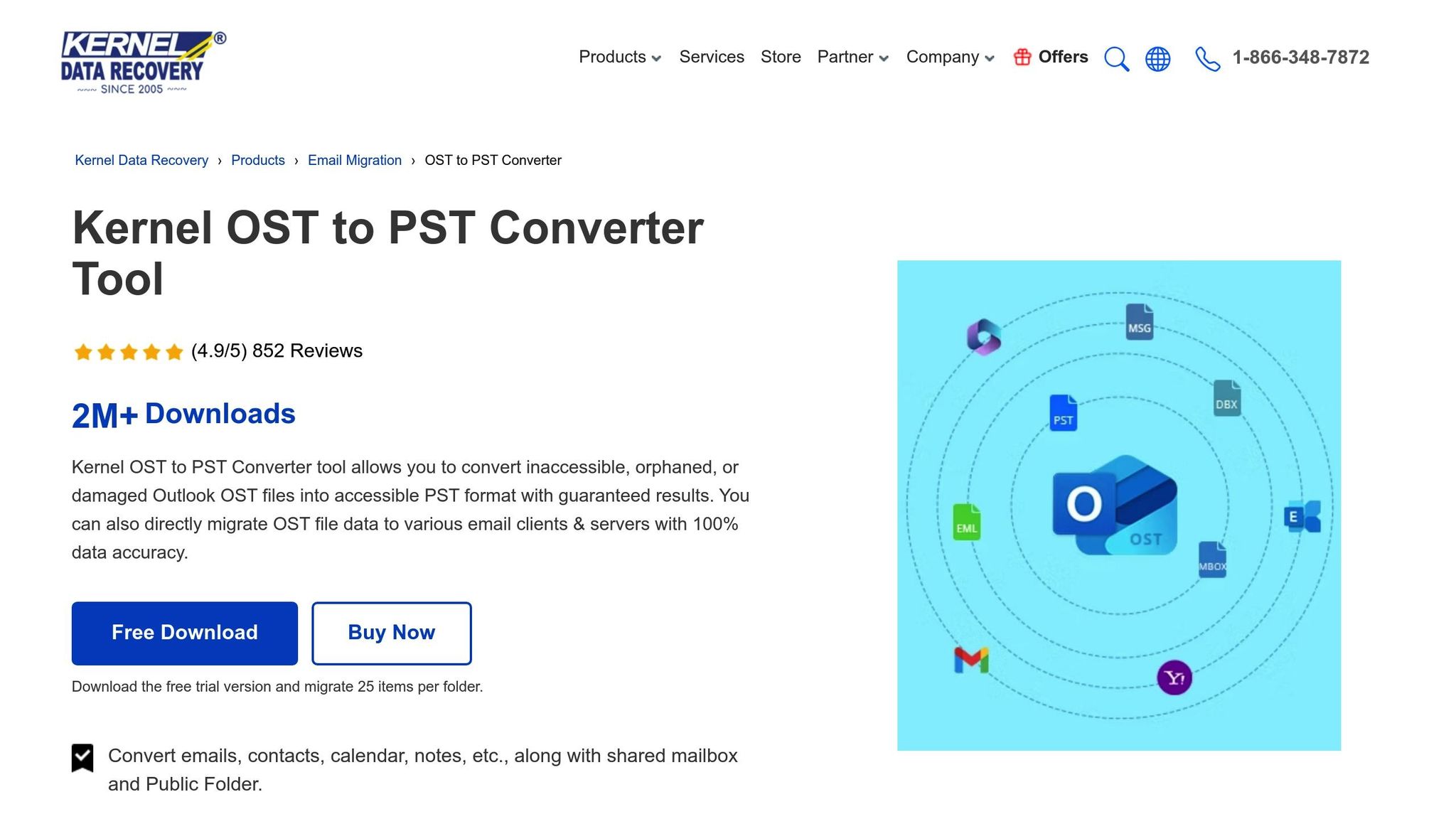
The Kernel OST to PST Converter is a desktop tool designed to recover and convert data from corrupted, orphaned, or encrypted Outlook OST files. It works seamlessly with both healthy and damaged files, making it an excellent choice for data recovery scenarios. Below, you'll find details about its supported formats and features.
Supported File Formats
This tool supports converting OST and NST files into a wide range of formats, including PST, MSG, EML, MBOX, DBX, PDF, HTML, RTF, TXT, DOC, DOCX, and JSON. It preserves all mailbox components during conversion, such as:
- Emails (with attachments)
- Contacts and distribution lists
- Recurring appointments
- Tasks, journals, and notes
Additionally, metadata like Subject, To, From, CC, BCC, Date, and Time remains intact. The tool can also export data directly to platforms like Office 365, Live Exchange Server, Gmail, Yahoo, AOL, and iCloud without creating intermediary files. Even permanently deleted items can be recovered and are clearly marked during the preview.
Conversion Speed and Batch Processing
The software handles large files - over 10 GB - without any size restrictions. For users managing multiple files, the Corporate and Technician editions enable batch processing, allowing you to convert multiple OST files simultaneously. Advanced filters let you refine data by date range or item type, and the "Split PST" feature helps manage large files by breaking them into smaller parts (1 GB, 2 GB, or 5 GB).
A convenient snapshot feature saves your scan progress, so you can pause and resume recovery without rescanning the original file.
Data Security and Privacy
Kernel OST to PST Converter ensures that all conversions happen locally on your computer. No data is uploaded to external servers, safeguarding your privacy. The software maintains data integrity while preserving folder structure and metadata. It also decrypts password-protected or encrypted OST files without needing authentication from Microsoft Exchange Server or a Windows Domain Controller.
"Restored the deleted Outlook data without losing any single data with OST to PST software" - Len Worley from Austin, Texas
For forensic and eDiscovery purposes, the tool generates detailed mail flow and interaction reports. These features make it a robust choice for professional use.
Pricing and Affordability
Kernel OST to PST Converter offers flexible pricing for different user needs:
- Personal License: $69/year (up to 5 OST files)
- Home License: $99 for lifetime access (up to 10 OST files)
- Corporate License: $199 for lifetime access (unlimited files for single-organization use)
- Technician License: $299 for lifetime access (unlimited files for IT consultants and service providers)
A free demo version is available, allowing you to preview recovered data but limiting saves to 25 items per folder. The software holds a 4.5/5 rating on SoftwareSuggest and has been named a Category Champion for 2026 in the data recovery industry.
Next, we’ll take a look at CoolUtils Total Outlook Converter, which offers a different perspective on Outlook data conversions.
10. CoolUtils Total Outlook Converter
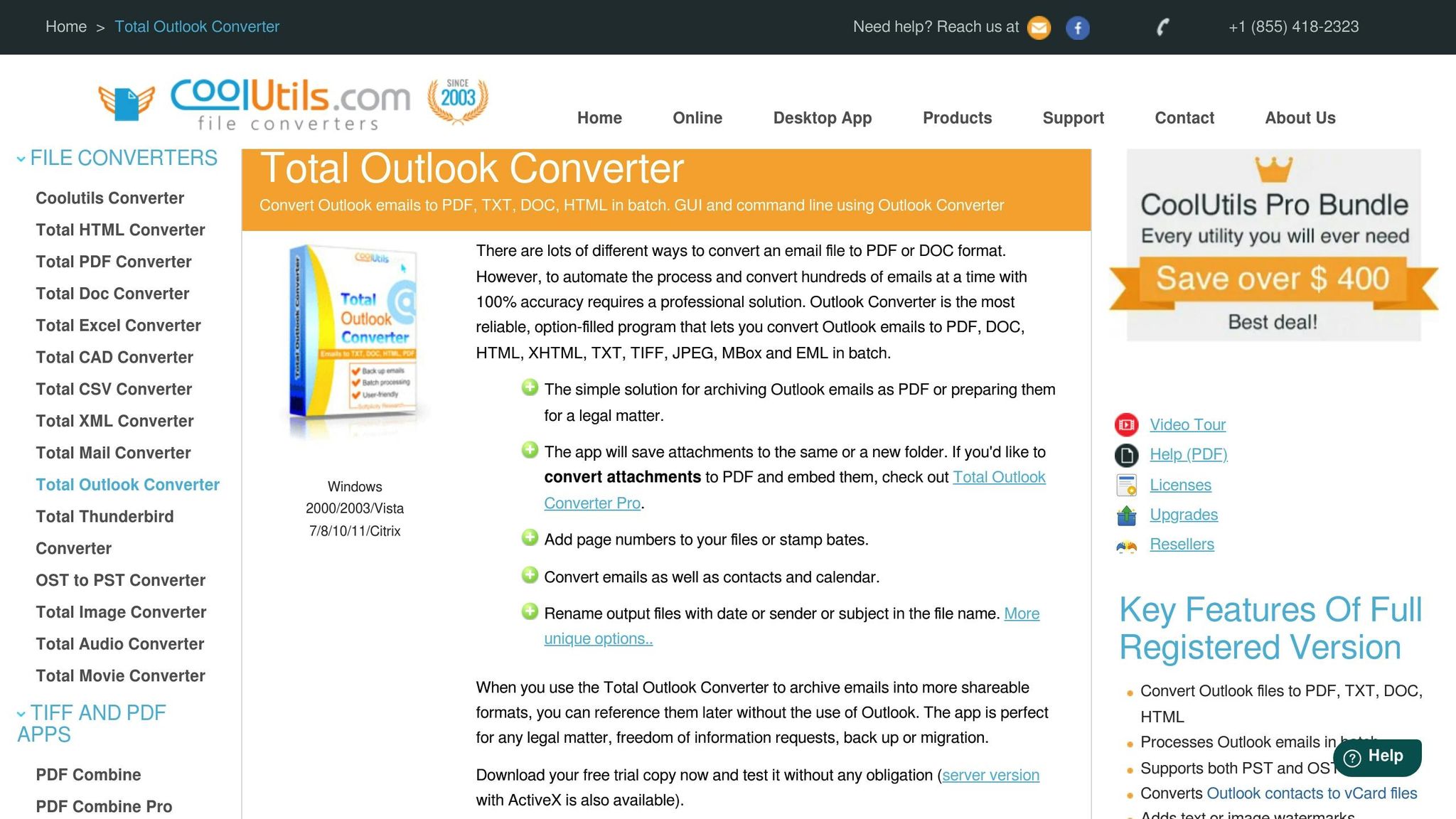
CoolUtils Total Outlook Converter is a desktop application with a long-standing track record, developed since 2003, and boasts a solid 4.7/5 customer rating. This tool is designed to convert Outlook emails and related data entirely on your local computer, making it a top choice for users who prioritize confidentiality. By keeping all processes offline, it ensures sensitive information remains secure - an essential feature for professionals in industries like law, healthcare, or finance.
Supported File Formats
The software supports converting PST, OST, MSG, and PAB files into over a dozen formats, including PDF, DOC, RTF, TXT, HTML, XHTML, TIFF, JPEG, EML, MBOX, XLS, XPS, and ODT. It also handles Outlook contacts (exporting them as vCard files) and calendar events (as .ics files).
One standout feature in the Pro version is its ability to convert and embed email attachments directly into the output document, eliminating the need to save them separately. For those working on legal or archival projects, the tool offers Bates stamping and page numbering. Additionally, you can rename output files using templates based on criteria like sender, date, or subject. These features, combined with its broad file format support, make it highly versatile for various professional needs.
Conversion Speed and Batch Processing
CoolUtils Total Outlook Converter is built for efficiency, capable of handling hundreds or even thousands of emails in a single batch. This makes it an excellent choice for large-scale projects, such as archiving years' worth of emails. It also includes full command line support, allowing users to automate repetitive tasks. On top of that, the company provides responsive technical support, with most inquiries addressed within 6 hours.
"Total Outlook Converter is a terrific piece of software. It saved our company days worth of work hours that we would have had to spend to move thousands of documents we had stored in Outlook to a network directory." - Phil Edmunds, Service Support Engineer
Data Security and Privacy
A key advantage of this software is its offline operation - no data is uploaded to external servers during the conversion process. This design ensures sensitive communications remain private and supports compliance with strict regulations in sectors like legal, financial, and medical fields. Additional security features include the ability to encrypt PDF outputs, set user permissions (to control viewing, printing, or editing), and add digital signatures for document authenticity.
For added privacy, the tool offers a "do not access internet for images" setting, which blocks the download of external images linked in emails. This prevents email tracking and safeguards user privacy. These robust security measures are available at a competitive price point.
Pricing and Affordability
CoolUtils Total Outlook Converter is available for a one-time payment of $49.90, with no recurring subscription fees. This purchase includes one year of free major updates, and users can access future upgrades at a 70% discount. A free 30-day trial lets you explore the software's full features before committing, and there's a 14-day money-back guarantee if it doesn't meet your expectations.
Tool Comparison Table
The table below compares key features across 10 popular file conversion tools, helping you identify the best option for your needs.
| Tool | Format Support | Batch Processing | Security Features | Pricing | Best For |
|---|---|---|---|---|---|
| ConvertHub | 800+ formats | Yes | 256-bit encryption, GDPR compliant, automatic file deletion | Free (1 file/24 hrs, 100MB); from $9/month | Users needing extensive format options |
| CloudConvert | 200+ formats | Yes (API automation) | Strict privacy policy | Free tier; pay-as-you-go | Developers requiring API integration |
| Convertio | 300+ formats (25,600+ conversion strategies) | Yes | Cloud-based encryption | From $9.99/month | Quick, general conversions with a user-friendly interface |
| Foxit PDF Converter | PDF-focused | Yes | Advanced PDF security and permissions control | One-time or subscription | Small businesses managing PDF workflows |
| Adobe Acrobat PDF Converter | PDF ecosystem | Yes (Actions feature) | Enterprise-grade security | From $12.99/month | Professionals handling complex PDF layouts |
| PDFShift | HTML to PDF (specialized) | Yes (API) | Cloud processing with strong API security | From $7.50/month | Automating HTML-to-PDF conversions |
| Converter365 | 1,000+ formats | Yes | Cloud-based | Free plan; custom enterprise pricing | Converting rare file types |
| Stellar Converter for OST | Email formats (OST to PST) | Yes | Desktop-based processing | Varies | Email migration and archiving |
| Kernel OST to PST Converter | Email formats (OST to PST) | Yes | Desktop-based processing | Varies | Enterprise email data recovery |
| CoolUtils Total Outlook Converter | PST, OST, MSG to 12+ formats | Yes (command line support) | Offline operation, PDF encryption, digital signatures | $49.90 one-time | Secure Outlook email conversion |
Key Insights
File conversion tools differ in speed, security, and pricing, catering to a range of user needs.
Speed: Some tools prioritize rapid processing, especially cloud-based options like CloudConvert and Convertio, which use distributed systems to handle large workloads efficiently. On the other hand, desktop solutions such as CoolUtils excel at processing high volumes offline, making them ideal for users with slower internet connections or privacy concerns.
Security: The handling of sensitive data varies. Cloud-based tools like ConvertHub implement robust security measures like 256-bit encryption and GDPR compliance, ensuring files remain protected during online processing. Desktop tools, such as CoolUtils, process files locally, eliminating the need for uploads and reducing data exposure risks.
Pricing: Options range from one-time fees to subscription models. CoolUtils offers a one-time payment of $49.90, making it appealing for users seeking a cost-effective, long-term solution. Subscriptions like ConvertHub's $9/month plan include rollover credits, while Adobe Acrobat starts at $12.99/month, reflecting its premium features. Developers often prefer flexible pricing models, such as PDFShift's $7.50/month or CloudConvert's pay-as-you-go setup.
Matching Tools to Needs
- General Use: Tools like Converter365 and Convertio are versatile, handling a wide variety of formats, including rare file types.
- PDF Management: For advanced PDF workflows, Adobe Acrobat and Foxit offer features like e-signatures and layout preservation.
- Privacy: If data security is critical, desktop tools like CoolUtils ensure files never leave your device.
- Development: Developers benefit from API-friendly tools such as CloudConvert and PDFShift, which simplify automation.
Each tool is tailored to address specific challenges, whether it's managing obscure file types, automating workflows, or ensuring data privacy. Choosing the right one depends on your priorities and the nature of your projects.
Conclusion
Choosing the right file converter boils down to understanding your specific needs and how often you’ll use it. If you frequently deal with a wide range of formats, ConvertHub stands out with its support for over 800 formats and rollover credits, starting at just $9/month. On the other hand, professionals managing complex PDF tasks - especially in regulated industries - may find Adobe Acrobat an excellent choice. Its enterprise-grade security features and HIPAA certification make it a solid option for sensitive, compliance-heavy workflows.
File security is another critical factor, particularly if you’re handling confidential data. Tools like Adobe Acrobat Pro provide advanced features such as redaction, encryption, and audit logs that comply with standards like SOC 2, GDPR, HIPAA, and ISO. For those prioritizing privacy, desktop converters are a smart pick since they process files locally, avoiding potential risks associated with cloud uploads.
Your workflow frequency also plays a role in selecting the right tool. If you’re a casual user converting just a few files each month, free options from ConvertHub or Convertio might suffice. Developers looking to automate file conversions should explore API-friendly platforms like CloudConvert or PDFShift, which integrate seamlessly into business automation workflows. Meanwhile, email migration specialists can rely on tools like Stellar or Kernel for dependable OST-to-PST conversions - trusted even by government agencies and Fortune 500 companies.
Before committing to a tool, it’s wise to test it with your most complex file - think tables, unique fonts, or intricate layouts. This ensures the converter preserves formatting and accuracy. As Sarah Martinez, Senior Product Manager, aptly puts it:
"A converted file that loses or shifts details, causing readability issues, defeats the purpose of using a converter in the first place".
Ultimately, the best file converter balances features like format compatibility, security, and pricing with your specific requirements. Whether you’re automating conversions as a developer, ensuring compliance as a legal professional, or just handling occasional file changes, the options in this guide are ready to tackle 2026’s file conversion demands.
FAQs
How do I choose the right converter for my workflow?
Choosing the right file converter starts with understanding your specific needs. Identify the file formats you work with most often and consider how well the tool handles complex files. Accuracy is key here - especially when dealing with intricate data or formatting.
Make sure the converter integrates smoothly with your existing tools and can handle your workload without issues. Scalability is important if your file conversion needs are likely to grow over time. Security should also be a top priority. Look for features like encryption to safeguard sensitive information during the conversion process.
Finally, test the tool in your actual workflow. This hands-on approach will help you evaluate its performance, accuracy, and how well it fits your unique requirements.
Is it safer to convert files in the cloud or on my computer?
When it comes to file conversion, safety largely depends on what you're looking for. Cloud-based tools can be a secure option if they use encryption, delete files after processing, and adhere to strict privacy policies. They’re also super convenient and typically support a wide range of formats. On the other hand, local conversion keeps everything on your device, making it a better choice for handling sensitive files. The right option comes down to how private your files are and how reliable the cloud service’s security measures seem to you.
What should I test to ensure conversions remain accurate?
When testing for accuracy, it's crucial to ensure that formatting, structure, and data integrity remain intact. This is especially important for more complex elements like tables, images, and large documents. These components often carry nuanced details, and any errors in conversion could compromise their reliability.
For tables, verify that rows, columns, and data align correctly. Each cell should retain its original content and structure. With images, confirm that they are placed in the correct location and maintain their resolution and aspect ratio. Large documents require additional scrutiny - check headings, subheadings, and overall organization to ensure nothing is misplaced or omitted.
By paying close attention to these aspects, you can confirm that the conversion process is both precise and dependable.