
API Solutions for Batch File Conversion
Tired of manually converting large volumes of files? APIs like ConvertHub, ConvertAPI, CloudConvert, and Convertio offer automated solutions that handle everything from documents to videos, saving time and resources. These platforms integrate with n8n automation workflows, support hundreds of file formats, and provide flexible pricing models.
Here’s a quick breakdown:
- ConvertHub: Supports 800+ format combinations, offers storage integration (AWS S3, Cloudflare R2), and has a credit-based pricing model starting at $9/month. No OCR support, and file size limits apply.
- ConvertAPI: Covers 500+ formats, includes OCR, and offers ISO-certified security. Pricing starts at $35/month for 1,000 conversions.
- CloudConvert: Handles 200+ formats and provides GPU-accelerated video encoding. Pricing starts at $0.008 per file with flexible credit options.
- Convertio: Features OCR with 60+ language support and unlimited concurrent processing. Prepaid plans start at $49 for 5,000 minutes.
Quick Comparison:
| Feature | ConvertHub | ConvertAPI | CloudConvert | Convertio |
|---|---|---|---|---|
| Formats Supported | 800+ | 500+ | 200+ | 300+ |
| OCR | No | Yes | No | Yes |
| Pricing Model | Credit-based | Subscription | Credit-based | Prepaid |
| Starting Price | $9/month | $35/month | $0.008/file | $49/package |
| File Size Limit | 2 GB (subscribers), 500 MB (pay-as-you-go) | Up to 2 GB | Flexible | Unlimited |
| Uptime SLA | 99.9% | 99.95% | Not specified | Not specified |
Each platform has its strengths, from ConvertHub's developer-friendly tools to Convertio's OCR capabilities. Choose based on your specific file conversion needs, budget, and desired features.
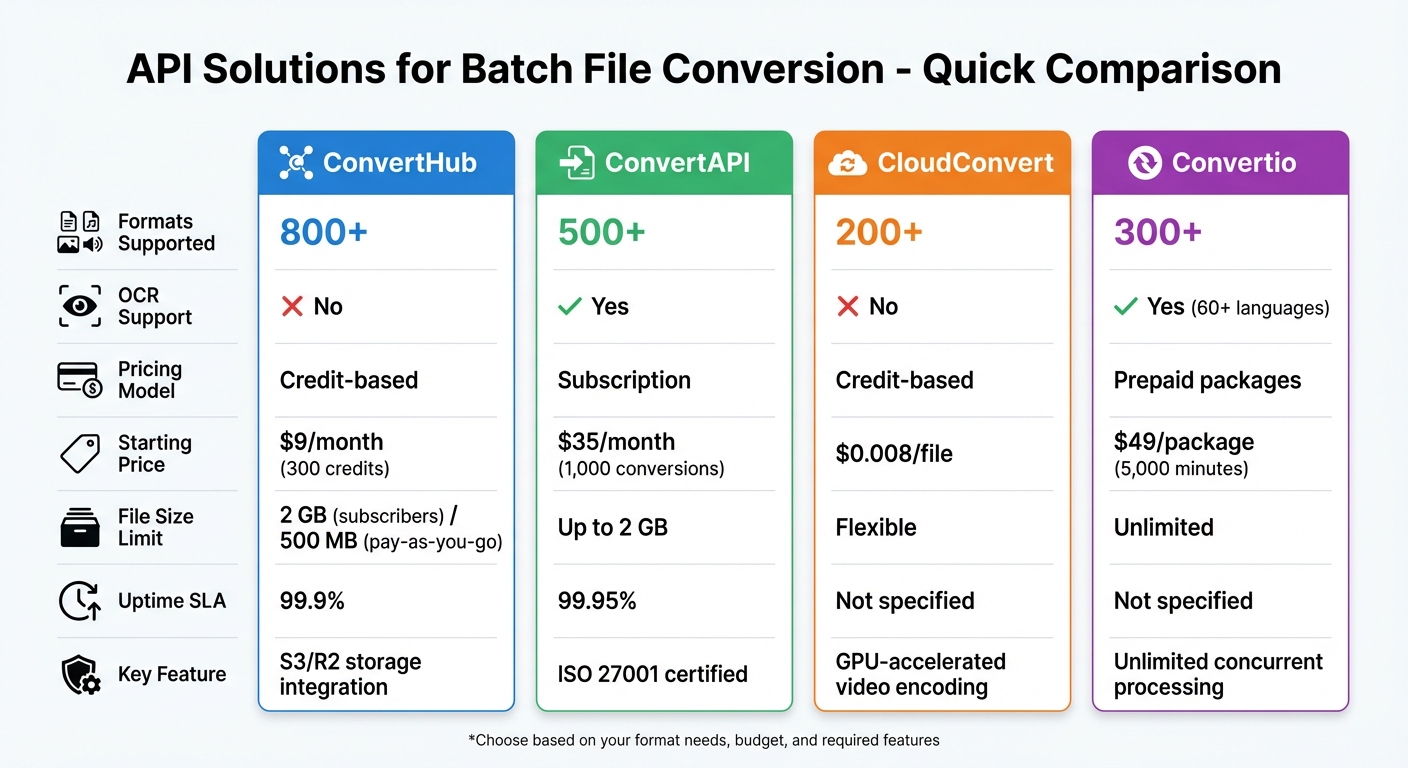
API File Conversion Services Comparison: ConvertHub vs ConvertAPI vs CloudConvert vs Convertio
1. ConvertHub
Supported Formats
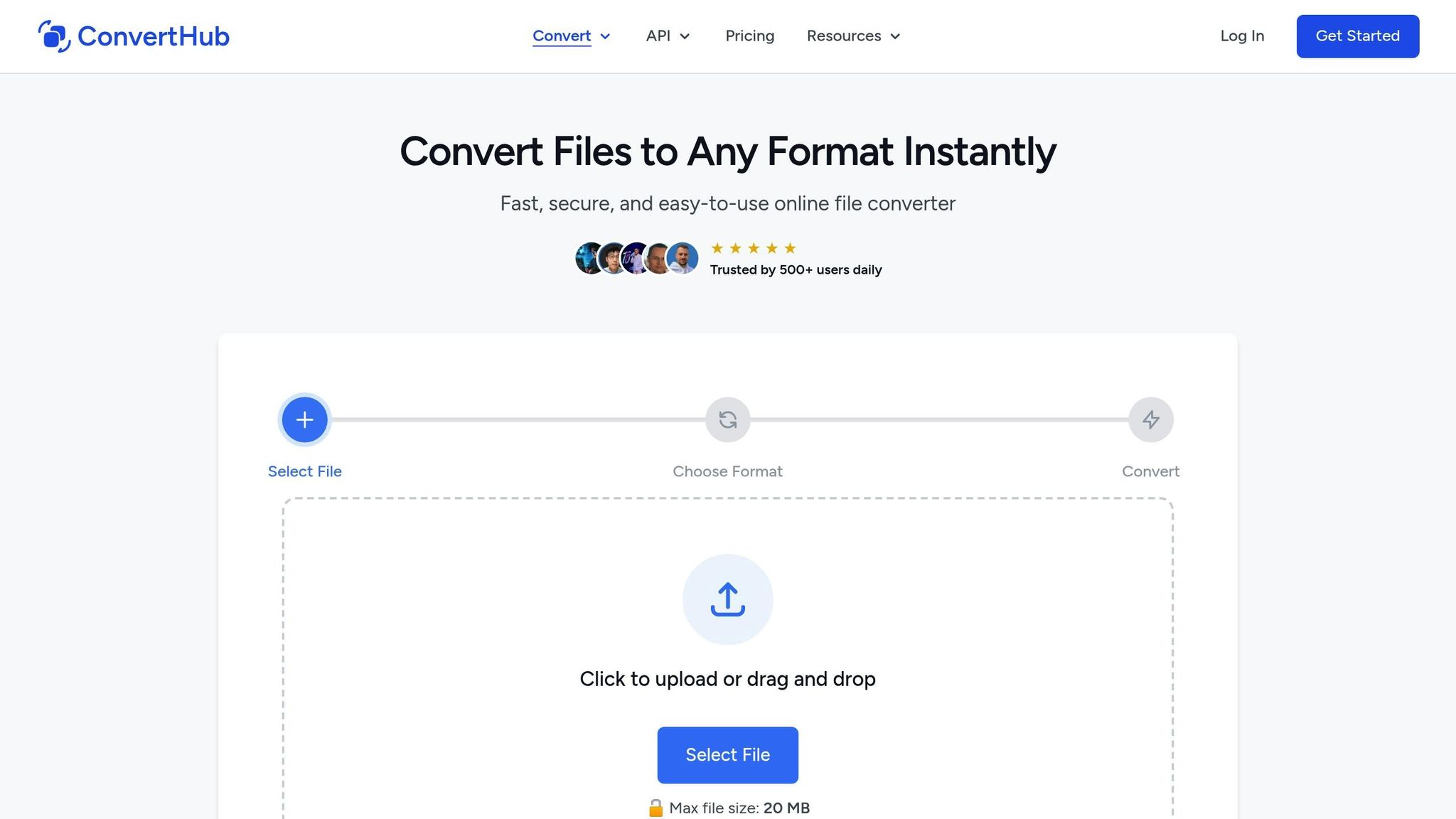
ConvertHub handles over 800 format pairs across seven main categories. These include documents (like PDF, DOCX, XLSX), images (JPG, PNG, WEBP, HEIC), videos (MP4, AVI, MOV), audio (MP3, WAV, FLAC), eBooks (EPUB, MOBI, AZW3), archives (ZIP, RAR, 7Z), and fonts (TTF, OTF, WOFF). This wide range ensures flexibility when creating conversion workflows. To date, the platform has processed more than 40,000 files and is trusted by over 200 developers.
However, there's one limitation: ConvertHub doesn't support OCR. This means scanned documents cannot be converted into editable text formats.
Batch Processing Capabilities
Batch conversion is a feature available only to paid users, whether on subscription or pay-as-you-go plans. The API uses an asynchronous, job-based system: it assigns unique job IDs and sends webhook notifications once the job is complete. For convenience, all files from a batch conversion can be downloaded together in a single ZIP archive.
The platform boasts a 99.9% uptime SLA and handles millions of conversions every month. Standard API rate limits allow for up to 60 requests per minute.
Pricing Models
ConvertHub operates on a credit-based pricing system, where costs depend on the complexity of the task and the file size. For instance, a simple conversion like JPG to PNG costs 1 credit, while more complex tasks, such as converting a PDF to Excel, require 3 credits. Larger file sizes incur additional multipliers: files between 10–50 MB use 2× credits, 50–200 MB use 3×, and files over 200 MB use 4×.
Subscription plans start at $9/month for 300 credits and go up to $99/month for 12,000 credits. Unused credits roll over as long as the subscription remains active. Pay-as-you-go pricing begins at $10 for 200 credits and scales to $100 for 8,000 credits, with no expiration on credits. Subscribers can convert files up to 2 GB, while pay-as-you-go users are limited to 500 MB. A free tier is also available, offering 50 API calls for testing without requiring a credit card.
Integration and Developer Features
ConvertHub provides official SDKs for PHP and JavaScript, both of which include a waitForCompletion method to simplify asynchronous processing. For seamless file management, it supports direct storage integrations with AWS S3 and Cloudflare R2, enabling automatic uploads of converted files to your storage buckets. Webhook notifications keep users updated on job statuses, and chunked uploads improve reliability when handling large files.
For developers looking to create branded solutions, ConvertHub offers a White Label Starter Kit. This ready-to-use Laravel/Tailwind codebase, available on GitHub, allows developers to build their own conversion services while using ConvertHub's API as the backend. Security is a priority, with features like 256-bit SSL/TLS encryption, GDPR compliance, and automatic file deletion after 24 hours for free users.
"ConvertHub API saved us hours of manual processing. The integration was easy and the format coverage is impressive." - Petar Ivanov, petarivanov.tech
These tools and features make ConvertHub a versatile option for developers and businesses alike.
sbb-itb-ba72479
2. ConvertAPI
Supported Formats
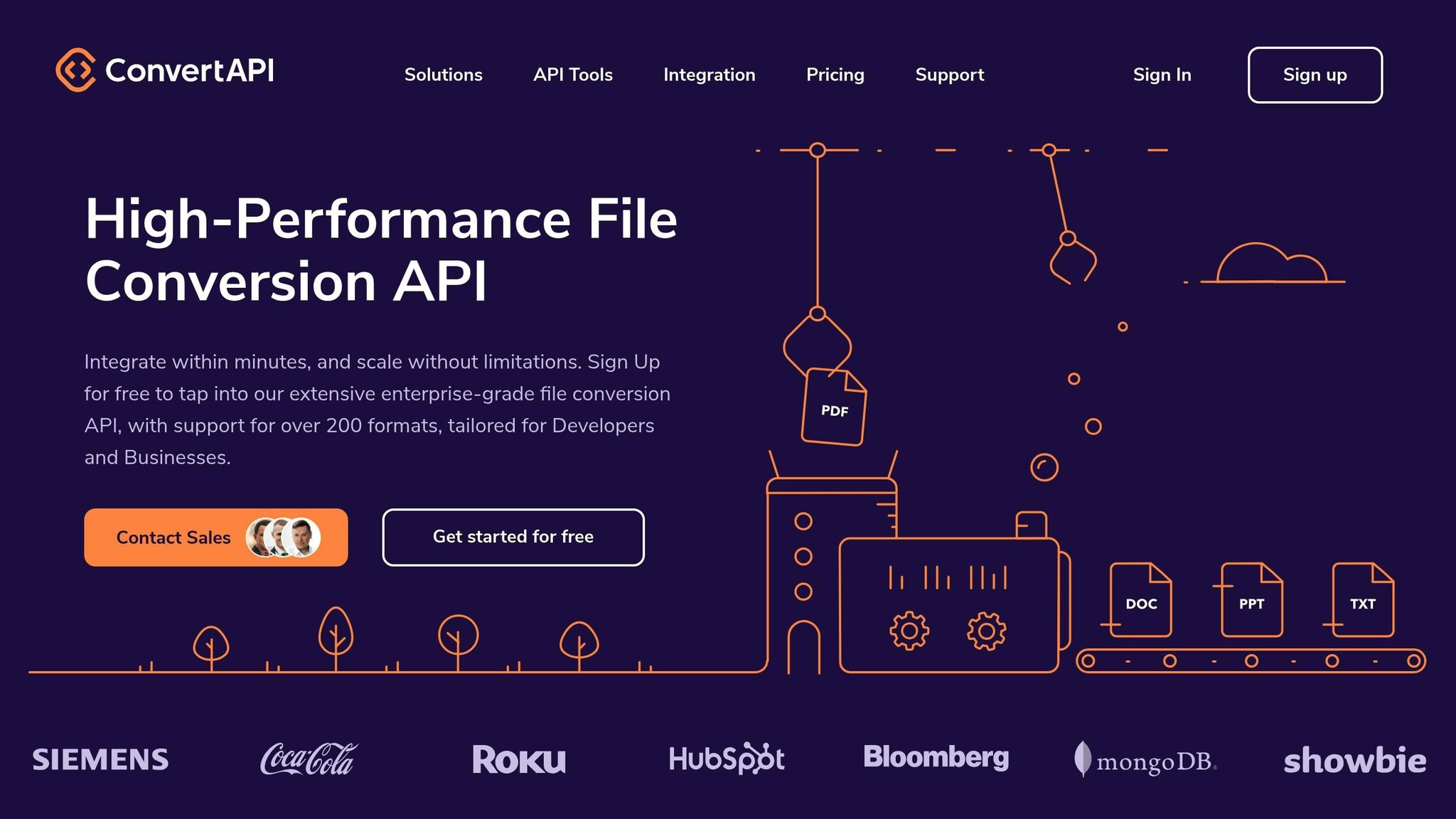
ConvertAPI handles over 500 file formats through its REST API, catering to a wide range of needs. It supports standard document types like PDF, DOCX, and XLSX, as well as images (JPG, PNG, TIFF), videos, audio files, and more. Beyond simple file conversions, it includes over 300 tools for document management, such as OCR, redaction, and file repair. This makes it an excellent choice for developers looking for comprehensive solutions.
With more than a decade of operation, ConvertAPI boasts a 99.95% uptime guarantee. In just the past month, around 6,000 companies began trials, and users report an impressive 87.95% reduction in manual work after integrating the API.
Batch Processing Capabilities
ConvertAPI simplifies batch operations with its ability to handle concurrent conversions and asynchronous processing. Whether merging images into a PDF or compressing files into password-protected ZIP archives, the platform handles tasks efficiently. Files are automatically deleted after three hours, though retention policies can be customized. For workflows requiring extra security, in-memory conversion ensures no files are stored.
The service is ISO 27001 certified and adheres to HIPAA and GDPR standards. It also supports Business Associate Agreements (BAA) for healthcare applications and uses AES-256 encryption to protect data both at rest and in transit.
"ConvertAPI has been a game-changer for our document automation workflows. Their conversion accuracy and API reliability are unmatched in the industry for over 7 years."
- Oscar Brown, Director of Development, Flocknote
Pricing Models
ConvertAPI offers flexible subscription plans, with discounts available for annual billing. The free tier allows up to 250 conversions for testing without requiring a credit card. Beyond that, standard plans charge $0.05 per additional conversion.
- The Developer plan starts at $35/month, covering 1,000 conversions with a 200 MB file size limit.
- The Startup plan costs $95/month for 5,000 conversions and supports files up to 300 MB.
- Higher tiers, such as Business ($350/month) and Enterprise (custom pricing), include unlimited concurrent conversions and file sizes up to 2 GB. Enterprise plans also come with 16 hours of dedicated integration assistance and round-the-clock emergency support.
If ConvertAPI fails to meet its 99.95% uptime SLA, users are not charged for that month.
Integration and Developer Features
ConvertAPI provides official SDKs for multiple programming languages, including .NET, Java, Python, Ruby, PHP, Go, Node.js, Swift, and JavaScript. Developers can also use its online tool to generate code snippets automatically. For testing, the platform supports CLI, cURL, and Postman.
For AI-driven workflows, ConvertAPI offers a Model Context Protocol (MCP) server, enabling AI agents to directly access conversion functionalities. Developers can monitor real-time usage and set API limits through the /user endpoint, helping to prevent overages. Additionally, GeoDNS routing ensures low latency by directing requests to the nearest server, making it ideal for global applications.
"ConvertAPI is a reliable, cost-effective solution with a proven track record of stability. It has grown significantly in maturity, adopting enterprise-grade practices over the years."
- Kenny Dickie, Director of Engineering, Showbie
3. CloudConvert
Supported Formats
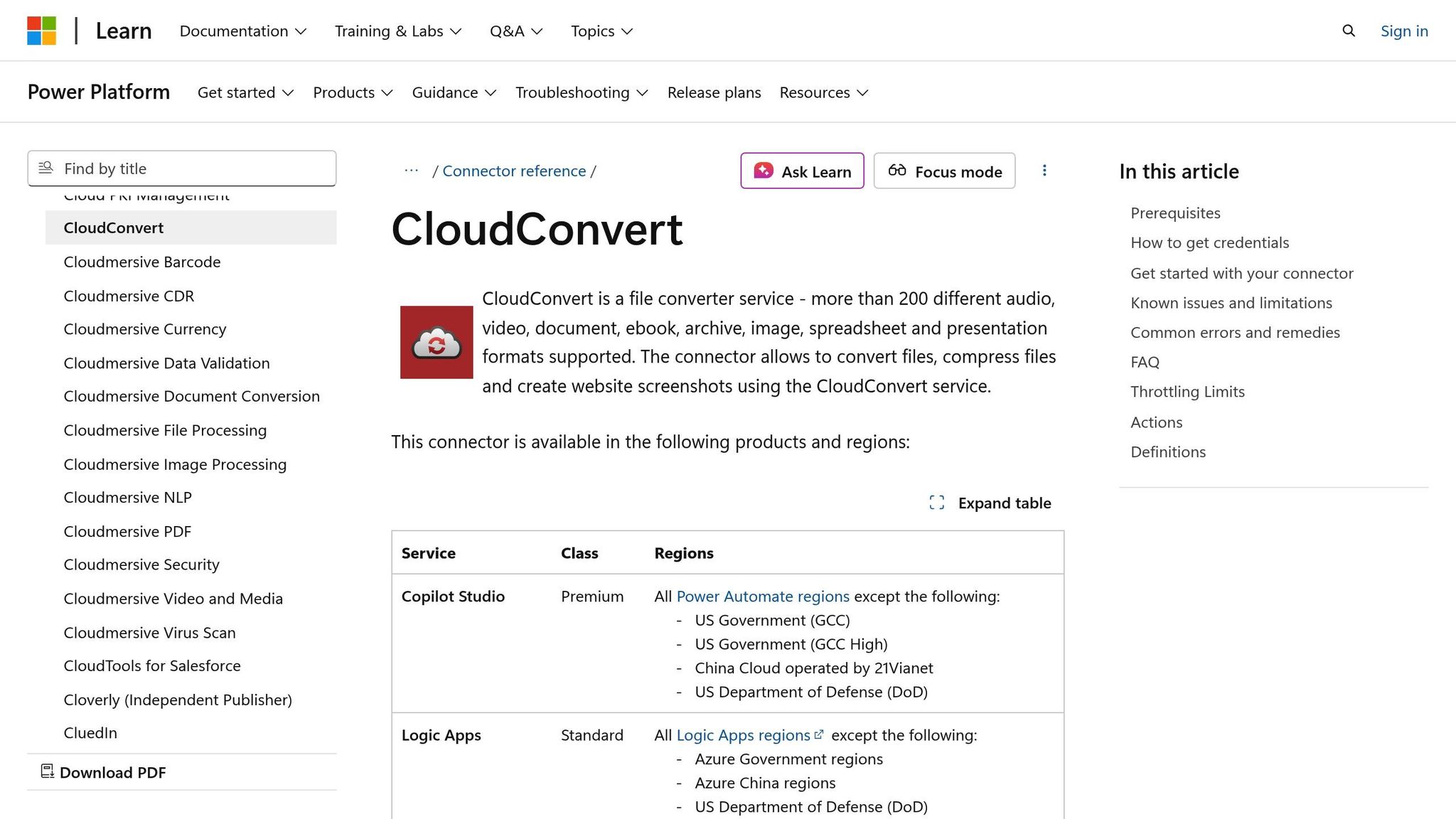
Launched in 2012, CloudConvert handles more than 200 file formats across various categories. These include audio (like MP3, WAV, FLAC), video (MP4, AVI, MOV), documents (PDF, DOCX, XLSX), images (JPG, PNG, WEBP), archives (ZIP, RAR, 7Z), ebooks (EPUB, MOBI), and fonts (TTF, WOFF). To ensure data privacy, the API deletes processed files automatically after 24 hours and enforces a default task timeout of five hours.
Batch Processing Capabilities
Similar to ConvertAPI, CloudConvert excels in batch processing. Its Jobs and Tasks system is designed to manage complex, large-scale operations. A single job can incorporate multiple tasks, such as importing files, converting them into different formats, adding watermarks, and generating thumbnails - all within one API call. For developers working with cloud storage, tools like key_prefix (for S3) and blob_prefix (for Azure) simplify the import of multiple files without requiring individual tasks for each.
The API supports both synchronous and asynchronous processing. Asynchronous mode, which includes webhook notifications, is particularly useful for lengthy tasks like video encoding, helping to avoid timeouts. Additionally, requests are routed to the nearest regional endpoint for faster processing, and GPU acceleration via ffmpeg_nvidia boosts performance for video conversions.
Pricing Models
CloudConvert uses a credit-based pricing system, allowing flexibility based on usage. Conversion costs vary depending on the file type, with rates starting at $0.008 per file for batches of 10,000 files. Discounts are available for high-volume users. Developers can test the API without consuming credits using the Sandbox API (https://api.sandbox.cloudconvert.com).
Integration and Developer Features
CloudConvert provides official SDKs for multiple programming languages, including PHP, Node.js, Python, Ruby, Java, and .NET, along with a command-line interface. Its Job Builder tool simplifies the creation of request payloads and code snippets for complex workflows. For no-code enthusiasts, integrations with platforms like Zapier, Microsoft Power Automate, Make, and n8n enable automated workflows.
The API seamlessly connects with popular cloud storage services such as Amazon S3, Google Cloud Storage, Azure Blob Storage, and OpenStack. Developers can also execute advanced file manipulations using custom FFMPEG, Imagemagick, and Graphicsmagick commands.
For security, webhooks are signed with HMAC using SHA-256 encryption. Additionally, dynamic rate limits on job creation ensure smooth operations; exceeding these limits triggers a 429 error with a Retry-After header. These features provide developers with the tools and flexibility to create efficient, automated workflows with ease.
4. Convertio
Convertio stands out as a versatile API solution for batch file conversion, offering tools that prioritize both efficiency and customization.
Supported Formats
Convertio supports an impressive range of 300+ file formats and over 25,600 conversion combinations. Whether you're working with audio, video, documents, images, archives, ebooks, or fonts, this platform has you covered. Files can be uploaded in multiple ways: via URL, raw file content, base64 encoding, or direct upload.
One of its standout features is the built-in Optical Character Recognition (OCR), which can be activated through the API for specific document formats. The OCR tool supports outputs like TXT, RTF, DOCX, XLSX, XLS, CSV, PPTX, PDF, EPUB, DJVU, and FB2. With support for over 60 languages, from English and Spanish to Chinese Simplified and Arabic, it’s a robust solution for multilingual projects. To address privacy concerns, uploaded files are deleted immediately after conversion, while converted files are removed after 24 hours.
Batch Processing Capabilities
Convertio is built for high-volume tasks, offering unlimited concurrent conversions for users on prepaid plans. This makes it an excellent choice for large-scale projects. For multi-page documents - like converting a multi-page DOC into individual JPG files - the API generates a ZIP file containing all outputs.
To streamline workflows, developers can use the callback_url parameter in their POST requests. This allows them to get notified automatically when a conversion is complete, eliminating the need for constant status checks. Additionally, the POST /convert/list endpoint provides a quick overview of recent conversions, detailing their progress (uploading, converting, completed, or failed). With over 3.1 billion files processed and a total of 58,000 TB of data handled, Convertio’s infrastructure is designed for speed, completing most conversions in just 1–2 minutes.
Pricing Models
Convertio operates on a prepaid package model, giving users control over their spending without automatic renewals. The standard package costs $49 for 5,000 conversion minutes, breaking down to about $0.0098 per minute. These packages come with perks like unlimited file size, concurrent processing, and priority handling.
For OCR tasks, API minutes are consumed at a rate of 1 OCR page = 3 API minutes, unless a dedicated OCR package is purchased. To help users track their usage, the API provides real-time updates on the minutes used per conversion and the remaining balance.
Integration and Developer Features
Convertio simplifies integration with tools like a Command Line Interface (CLI) and an official PHP wrapper, with Python and Node.js SDKs in development. The API also supports asynchronous workflows through webhook callbacks, making it a great fit for automated systems.
Customization is another strong point. Developers can use the options parameter to fine-tune conversions, such as selecting OCR languages or specifying page ranges for processing. With a 4.6/5 user rating based on nearly 30 million votes, Convertio has proven its reliability in production settings. Additionally, failed conversions don’t deduct from your API minutes, ensuring fair usage.
Advantages and Disadvantages
ConvertHub offers a range of features designed to simplify file conversion processes, especially for developers. Here's a closer look at its strengths and areas where it could improve.
One of the standout advantages is its developer-friendly setup. With official PHP and JavaScript SDKs, integration can be completed in as little as 5 minutes. The platform also boasts a 99.9% uptime SLA, ensuring reliability, and integrates directly with AWS S3 and Cloudflare R2 - making it a great fit for cloud-based workflows. Its pricing model is another plus, offering flexible options like subscription credits that roll over monthly and pay-as-you-go credits that never expire. Additionally, the White Label Starter Kit allows developers to create branded conversion services, and failed conversions don’t result in charges, adding to its cost-effectiveness.
On the flip side, there are a few limitations to keep in mind. The platform's 60 requests per minute rate limit might not be ideal for extremely high-volume processing needs. For large files (over 200 MB), the credit multiplier system can significantly increase costs, which could be a concern for some users. No-code integrations with tools like Zapier and Make are still under development, leaving a gap for non-developers. The lack of OCR support for document conversions and file size caps of 2 GB for subscription users (500 MB for pay-as-you-go users) are additional drawbacks.
| Aspect | Details |
|---|---|
| Key Strengths | Direct S3/R2 storage sync; White Label Starter Kit; flexible credit options; no charges for failed conversions; 99.9% uptime SLA; quick SDK integration |
| Limitations | No OCR support; 60 requests/minute rate limit; credit multipliers for large files; no-code integrations still pending; file size limits |
For developers focused on automating storage workflows, building white-label solutions, and achieving seamless integration, ConvertHub provides a reliable infrastructure with clear cost structures and consistent performance. However, users with high-volume or specialized needs should weigh these limitations carefully.
Conclusion
ConvertHub stands out as a reliable and adaptable platform for file conversion, offering a range of secure and efficient tools. For example, you can convert PDF to PDF to optimize or standardize documents. For developers aiming to deploy solutions quickly or launch white-label services, ConvertHub provides official PHP and JavaScript SDKs that integrate in less than five minutes. Additionally, the Laravel/Tailwind starter kit simplifies creating branded conversion services. With a 99.9% uptime SLA, seamless S3/R2 integration, and a flexible credit system, the platform is well-suited for cloud-based workflows.
The pricing model is designed to scale with your needs. Subscription credits roll over monthly, while pay-as-you-go credits never expire, offering predictable budgeting options. However, for files exceeding 50 MB, the credit multiplier system may lead to higher costs, so assessing your typical file sizes is essential before committing.
To ensure ConvertHub aligns with your requirements, take advantage of the free tier and sandbox environment. Check that the official SDKs support your preferred programming language, confirm webhook compatibility for asynchronous processing, and verify that S3 and R2 integrations fit your existing infrastructure. Keep in mind the 60-requests-per-minute rate limit, which may require additional planning for extremely high-volume use cases.
With its comprehensive API, ConvertHub caters to a variety of needs. Whether you're building branded services, prioritizing security with 256-bit SSL/TLS encryption and GDPR compliance, or managing diverse workloads, the platform offers a scalable and efficient solution for teams of all sizes.
FAQs
How do I batch convert files with ConvertHub using job IDs and webhooks?
To handle batch file conversions with ConvertHub using job IDs and webhooks, follow these steps:
- Submit files for conversion: Use the API to upload your files and specify the desired target format. The system will generate a unique job ID for tracking.
- Configure webhooks: Set up webhooks to get real-time updates about the status of your conversion jobs.
- Track job status: Use the job ID to poll the API and check the progress of your batch conversion.
- Download completed files: Once the job is marked complete, retrieve your converted files.
This method streamlines the batch conversion process, saving both time and effort.
How are ConvertHub credits calculated for large files?
ConvertHub determines credits for large file conversions based on the file's size. With subscription plans, you can handle files up to 2GB, and any unused credits seamlessly carry over to the next billing cycle. This setup helps you make the most of your subscription while managing larger file conversions with ease.
What should I use if I need OCR with ConvertHub?
ConvertHub doesn’t include OCR capabilities for file conversions. If OCR is a must-have feature for your needs, you’ll need to look into other platforms or tools that offer this functionality.