5 File Security Tips for Online Conversions
When you upload files to online converters, your data can be exposed to risks like breaches, malware, or identity theft. Here’s how to protect your files:
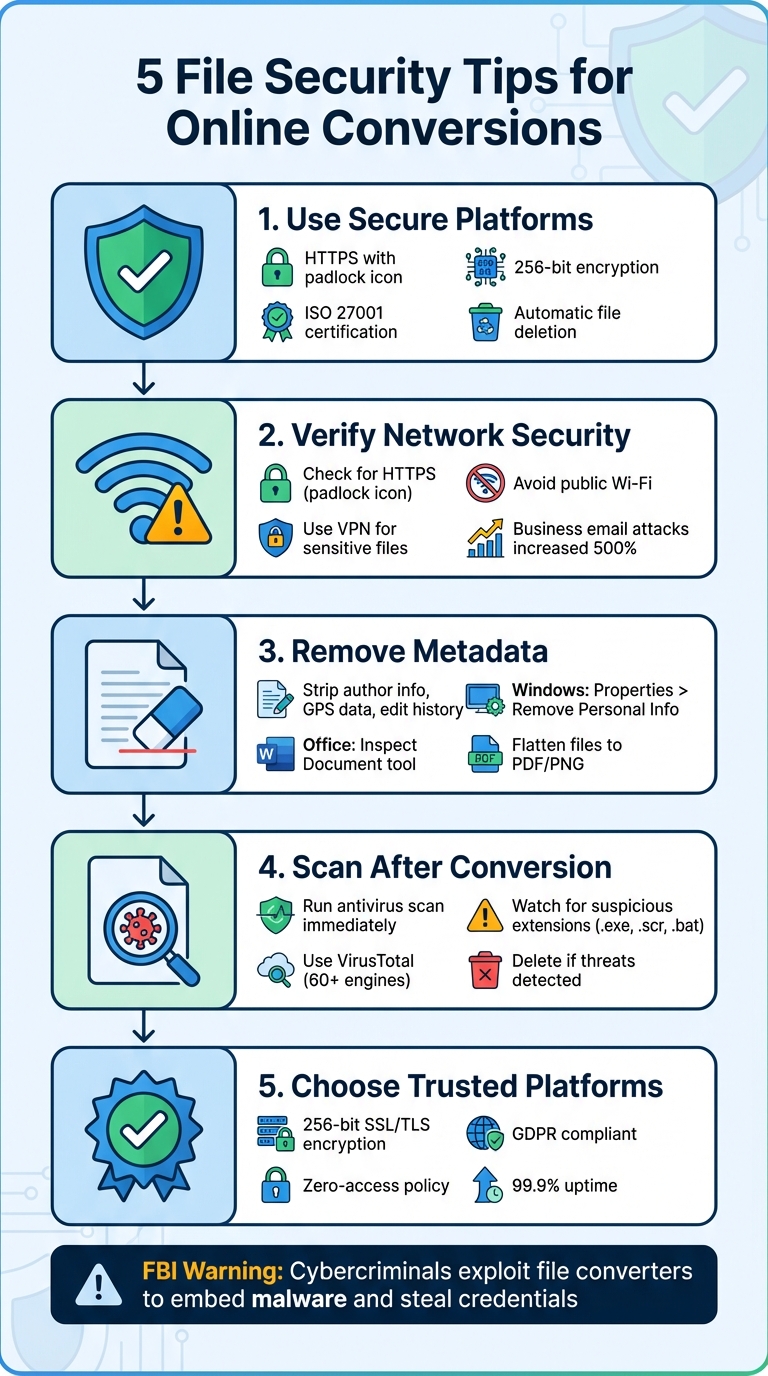
- Use secure platforms: Ensure the site uses HTTPS, 256-bit encryption, and certifications like ISO 27001. Check for automatic file deletion policies.
- Avoid public Wi-Fi: Upload files only on secure networks or use a VPN for added protection.
- Remove metadata: Strip hidden data (e.g., author info, location) from files before uploading to prevent exposure.
- Scan files post-conversion: Use antivirus tools or services like VirusTotal to check for malware.
- Choose trusted platforms: Opt for services like ConvertHub that prioritize encryption, privacy, and file deletion.
These steps, combined with careful platform selection, can help safeguard your data during online file conversions.
5 Essential File Security Tips for Safe Online Conversions
Free File Converters Are Spreading Malware Warns FBI | Sync Up
1. Use Platforms with Strong Encryption and Security Certifications
When converting files, safeguarding your data should be a top priority. Start by checking if the platform uses HTTPS - a secure connection indicated by a padlock icon in your browser's address bar. Without this, your uploads and downloads could be exposed to potential risks.
But HTTPS alone isn't enough. Reliable platforms go further by implementing 256-bit encryption to protect your data during transfer, storage, and download. For example, ConvertHub supports over 800 file formats while maintaining top-tier security measures. These features ensure your files are handled securely throughout the process.
It's also wise to choose platforms with ISO 27001 certification, which demonstrates adherence to strict security standards. Features like data isolation (sandboxing) and HSTS further enhance privacy. Trusted services often link their certifications - issued by organizations like TÜV Süd - on their security or compliance pages, making it easy to verify their credentials.
For sensitive documents, opt for platforms that delete files automatically after conversion. The best services either erase files immediately or allow you to manually delete them once the download is complete. Be sure to review the platform's privacy policy for details on file retention timelines and "zero-access" policies to ensure your data stays confidential.
2. Verify HTTPS and Avoid Public Wi‑Fi
Even with strong encryption at the platform level, your network environment can weaken security. Before you upload any file, check that your browser shows a padlock icon and the URL begins with "https://" rather than "http://." These signs confirm your connection is protected by SSL/TLS protocols, which encrypt data during transfer.
Using HTTPS is non-negotiable. Without it, your data could be intercepted, especially when using public Wi‑Fi. So, take a moment to assess your network environment before proceeding.
Public Wi‑Fi networks, like those in coffee shops, airports, or hotels, are particularly risky. They open the door to man-in-the-middle attacks, where hackers intercept data between your device and the server. Alarmingly, business email attacks - which often involve document attachments - skyrocketed by nearly 500% in just one year. On open networks, even someone with basic tech knowledge can intercept unprotected transmissions.
If you’re not connected to a secure network, consider using a Virtual Private Network (VPN) to encrypt your connection. For highly sensitive documents - like those containing financial details, personal information, or proprietary business data - it's best to wait until you're on a trusted network before converting files.
3. Remove Metadata and Sensitive Information Before Uploading
Hidden metadata lurks in every file, carrying detailed information about its creation, origin, and edits. This might include the author's name, email address, GPS coordinates from photos, tracked changes in documents, or even software version details.
"Metadata is the behind-the-scenes data that helps organize, categorize, and track files. It can tell you things like a photo's original location and creation date or who edited a document."
- Richard Ernszt, VPN & Privacy Expert
The risks of leaving metadata intact are serious. In the 2021 High Court case Rainey v Weller & Ors, metadata analysis revealed tampering in a will, exposing document fraud that wasn’t evident on the printed page. Even more concerning, cybercriminals now exploit metadata - like version history and geolocation - to craft highly targeted phishing campaigns against executives using AI. This underscores why removing metadata is a critical step before uploading files.
Here’s how you can protect yourself:
- On Windows: Right-click the file, select "Properties", go to the "Details" tab, and click "Remove Properties and Personal Information".
- In Microsoft Office: Use the "Inspect Document" tool (File > Info > Check for Issues) to strip out hidden comments, tracked changes, and other personal details.
- For iOS Photos: Use a trusted metadata removal app to delete embedded location and other sensitive data.
To further safeguard your files, flatten them. Converting documents to PDFs via "Print to PDF", saving images as PNGs, or pasting charts as images can strip hidden metadata. These simple steps can significantly reduce the risk of exposing sensitive information.
sbb-itb-ba72479
4. Scan Files with Antivirus Software After Conversion
In March 2025, the FBI's Denver Field Office issued a warning about the risks of using online file converters. According to their findings, cybercriminals exploit these tools to embed malware and steal sensitive information like banking credentials, passwords, or cryptocurrency keys.
"That download could be putting onto your computer or your network some malware – software that would then allow criminals to come back into your network or your computer and conduct further criminal activity, such as a ransomware attack."
- Marvin Massey, Assistant Special Agent in Charge, FBI Denver Field Office
To stay safe, always scan converted files before opening them. Right-click the file and run an antivirus scan using tools like Windows Defender or your preferred security software. For added protection, upload the file to VirusTotal, a free service that checks it against over 60 antivirus engines at once. If multiple engines detect a threat, delete the file immediately.
Be cautious of suspicious signs. For example, if you expect a PDF but receive a file with an extension like .exe, .scr, or .bat, delete it without opening. Other warning signs include sudden system slowdowns or unexpected prompts, such as password reset requests after downloading a file. In a documented case from April 2025, criminals even created fake file conversion websites with professional designs and convincing URLs to spread malware.
Once you've confirmed the file is safe, continue practicing good cybersecurity habits. Keep your antivirus software updated with the latest virus definitions. If you suspect your system has been compromised, disconnect from the network immediately and report the issue to the Internet Crime Complaint Center at www.ic3.gov. Combining these steps with secure uploading practices and metadata removal will help protect against file-based threats.
5. Choose Trusted Platforms Like ConvertHub for Secure Conversions
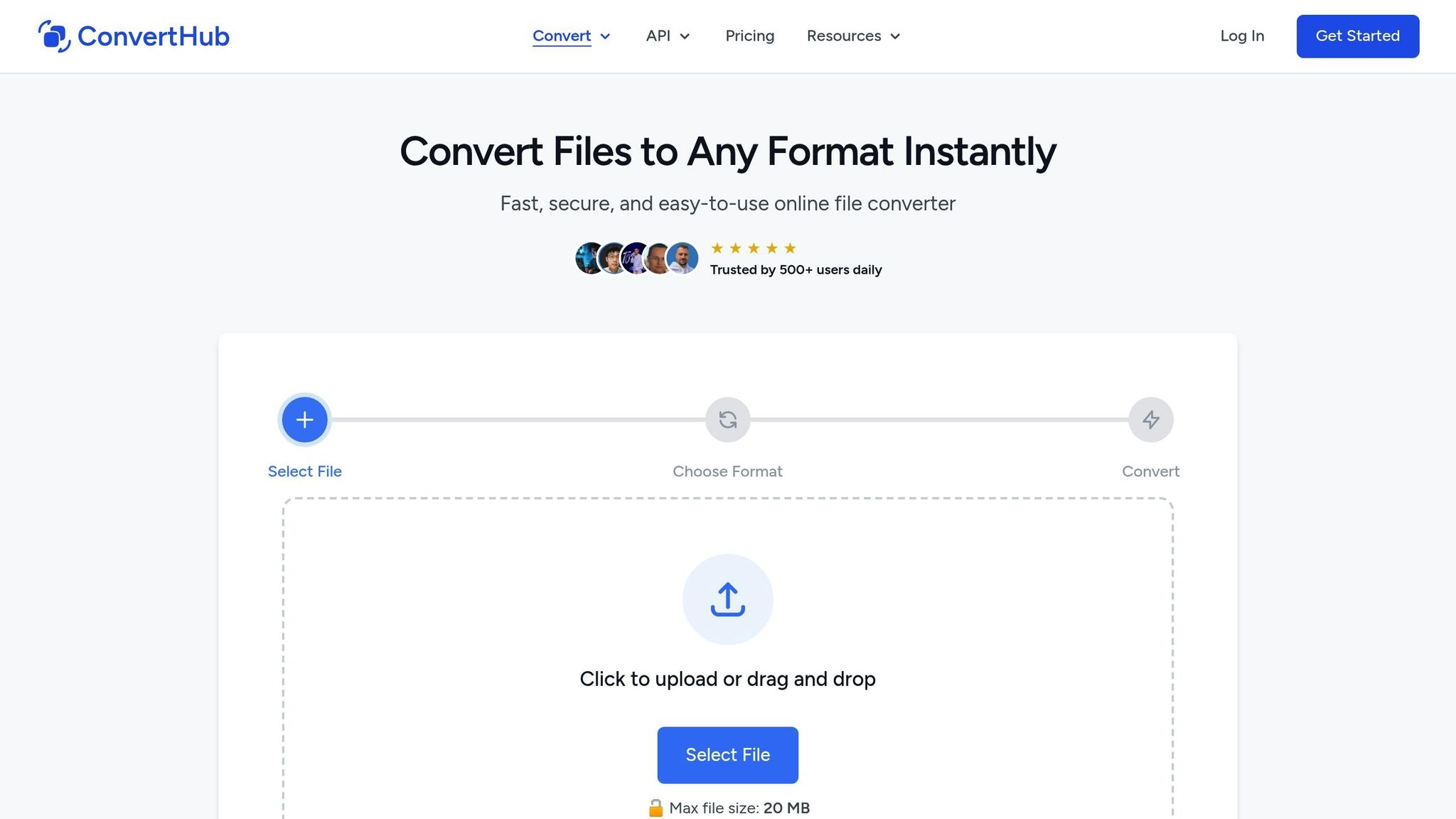
When selecting a file conversion service, security should be a top priority. ConvertHub stands out by using 256-bit SSL/TLS encryption to safeguard your data during transfers - offering the same level of protection as banks.
ConvertHub operates with a zero-access, automated process, meaning no human ever reviews your files. Additionally, it uses Cloudflare R2 hosting in ISO 27001-certified data centers, ensuring both physical and network security are top-notch. Files are automatically deleted within 24 hours or even sooner if you request immediate deletion.
Committed to privacy, ConvertHub is fully GDPR compliant, avoids tracking pixels, and never sells your data. With 99.9% uptime and support for over 800 file formats, it eliminates the hassle of switching between multiple services for your conversion needs. This level of security extends seamlessly to its business solutions as well.
"The API is well-documented, easy to integrate, and respects privacy. If you're looking for a file conversion API that just works, ConvertHub is a smart choice." - Marko Denic, markodenic.tech
For developers and businesses, ConvertHub provides a secure API with key-based authentication and support for chunked uploads. Its detailed documentation and a stellar 4.9/5 rating from over 500 daily users highlight its dependability. By choosing a service like ConvertHub, you significantly reduce the risk of data breaches, adding a critical layer to your file security strategy.
Conclusion
Keeping your files secure during online conversions is a must. The FBI's Denver Field Office has even issued formal warnings about the growing number of scams tied to free online document converter tools.
The five strategies - using strong encryption, secure connections, removing metadata, running antivirus scans, and sticking to trusted platforms - work best when combined. No single method can guarantee complete protection, but together, they create a solid defense. For example, even the best encryption won’t help if the file you download contains malware that an antivirus could have flagged. These steps are designed to complement the security features of trusted platforms.
Platforms like ConvertHub take security seriously, offering 256-bit SSL/TLS encryption, ISO 27001-certified data centers, automatic file deletion, and GDPR compliance. Pairing such platform-level protections with smart user practices ensures a much safer experience.
FAQs
What steps can I take to keep my files secure when using online converters?
To keep your files safe during online conversions, it's crucial to pick a trustworthy platform that takes security seriously. Focus on services that use HTTPS encryption to protect your data during transfers and have clear automatic file deletion policies to ensure your files aren't kept longer than needed.
Avoid sharing sensitive or confidential files unless absolutely necessary. Always take a moment to review the platform’s privacy policy to understand how your data will be managed. For example, platforms like ConvertHub emphasize security by offering encrypted transfers and no-registration options, giving you extra peace of mind.
How can I safely use public Wi-Fi for online file conversions?
Using public Wi-Fi for file conversions might put your data at risk, so it's essential to take a few precautions. Public networks are often less secure, leaving them open to potential cyber threats. Whenever possible, opt for your mobile network or a trusted private connection instead.
If public Wi-Fi is your only option, make sure the file conversion platform you use has HTTPS encryption and a clear policy for automatically deleting files once they're processed. Steer clear of uploading sensitive or confidential files, and always verify that the website is secure before proceeding. These simple steps can help safeguard your data when working on less secure networks.
Why should you remove metadata before uploading files online?
Removing metadata from files before uploading them is a smart way to protect your privacy and sensitive details. Metadata often contains information like author names, timestamps, tracked changes, or hidden comments. These tiny data points can unintentionally reveal personal or confidential information about the file's origin or its content.
By stripping this metadata, you can lower the risk of exposing private details when sharing files online. This small but important step helps keep your data secure, ensuring only the intended content is visible. It’s an easy and effective way to safeguard your privacy while handling files online.