How to Convert ZIP to RAR Online
Converting ZIP files to RAR format is simple and secure with online tools like ConvertHub. RAR archives are often preferred for their better compression rates, strong encryption, and ability to handle large files. Unlike ZIP, RAR supports archive sizes up to 16 exabytes and includes features like recovery records to repair corrupted files. Here’s how you can convert ZIP to RAR online, without downloading any software:
- Why RAR? It compresses files more efficiently - e.g., a 494 MB ZIP file reduced to 115 MB can shrink further to 71.6 MB in RAR format.
- ConvertHub Benefits: Free for files up to 100 MB, secure with 256-bit encryption, and easy to use with drag-and-drop functionality. Premium options allow batch processing and support files up to 2 GB.
- Steps to Convert: Upload your ZIP file, select RAR as the output format, and download the converted file. Guest files are deleted automatically within 24 hours for added security.
If you need a fast and secure solution, visit ConvertHub and start converting your files today.
How to convert Zip file to Rar file | Zip to Rar
sbb-itb-ba72479
Why Use ConvertHub for File Conversion
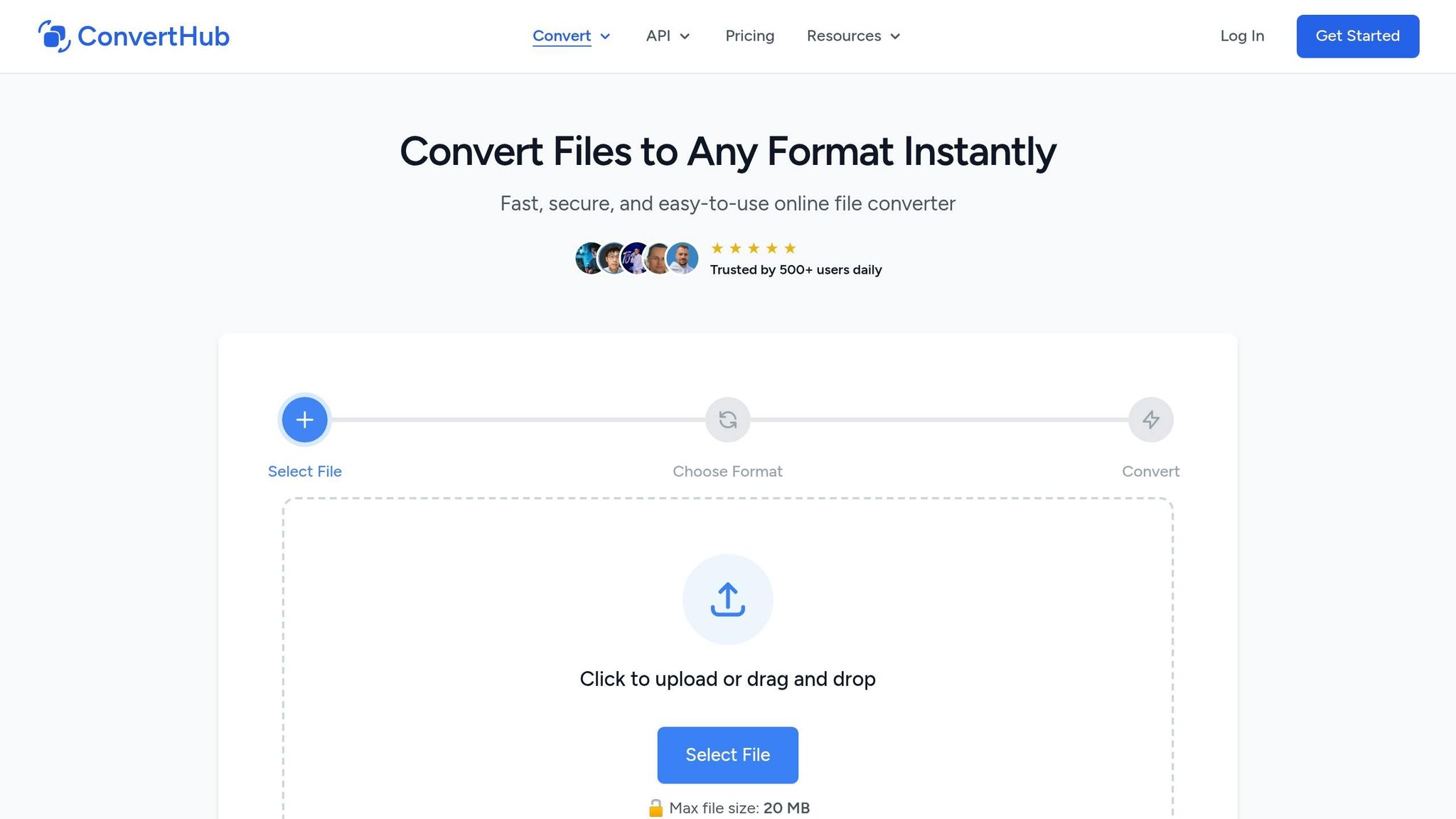
ConvertHub makes converting ZIP files to RAR a breeze, right from your browser. It supports over 800 file formats and boasts an impressive track record, having processed more than 40,000 files with 99.9% uptime.
Security is at the heart of the service. With 256-bit SSL/TLS encryption, your files are protected during upload, conversion, and download. Automated conversions follow a strict zero-access policy, ensuring no one at ConvertHub can view your files. The platform operates on Cloudflare R2 infrastructure and ISO 27001-certified data centers, offering top-tier data protection. Guest uploads are deleted automatically within 24 hours, with an option to remove files immediately after conversion. Plus, ConvertHub is GDPR compliant and avoids tracking pixels or selling user data.
Here’s a closer look at the standout features and pricing options that make ConvertHub a go-to tool for secure and efficient file conversions.
ConvertHub Features
Using ConvertHub is simple: just drag and drop your ZIP file, choose RAR as the output format, and download the result. If you need to reverse the process, you can also convert RAR to ZIP just as easily. The service ensures your directory structure and file permissions remain intact. For premium users, batch processing is available, allowing multiple ZIP files to be converted simultaneously, which saves time and effort.
Guest users can convert one file per day without creating an account. Signing up for a free account unlocks 10 bonus conversion credits and provides access to your conversion history. The free tier supports files up to 100 MB, while premium users can work with files as large as 2 GB.
ConvertHub also offers flexible pricing plans to accommodate different user needs.
Pricing Plans
ConvertHub’s pricing options are designed to suit both casual and frequent users. Whether you’re looking for a free solution, a subscription, or a pay-as-you-go model, there’s a plan for you.
| Plan | Price | File Size Limit | Key Features |
|---|---|---|---|
| Guest (No Account) | Free | 100 MB | 1 conversion per day |
| Free Account | Free | 100 MB | 10 bonus credits, conversion history |
| Subscription | $9/month | 2 GB | Unlimited conversions, priority processing, batch conversion |
| Pay as You Go | $0.08/credit | 2 GB | Credits never expire, no monthly commitment |
For regular users, the $9/month subscription plan offers unlimited conversions, priority processing, and batch conversion. If you only need occasional conversions, the pay-as-you-go option at $0.08 per credit provides flexibility without the need for a subscription.
Stefan Rows, a satisfied user, shared his experience:
"I highly recommend giving ConvertHub a go. Used it in one of my recent projects and it works really well!"
With over 500 daily users and a perfect 5/5 rating, ConvertHub is a dependable choice - whether you’re handling a single ZIP file or managing multiple archives.
How to Convert ZIP to RAR Using ConvertHub
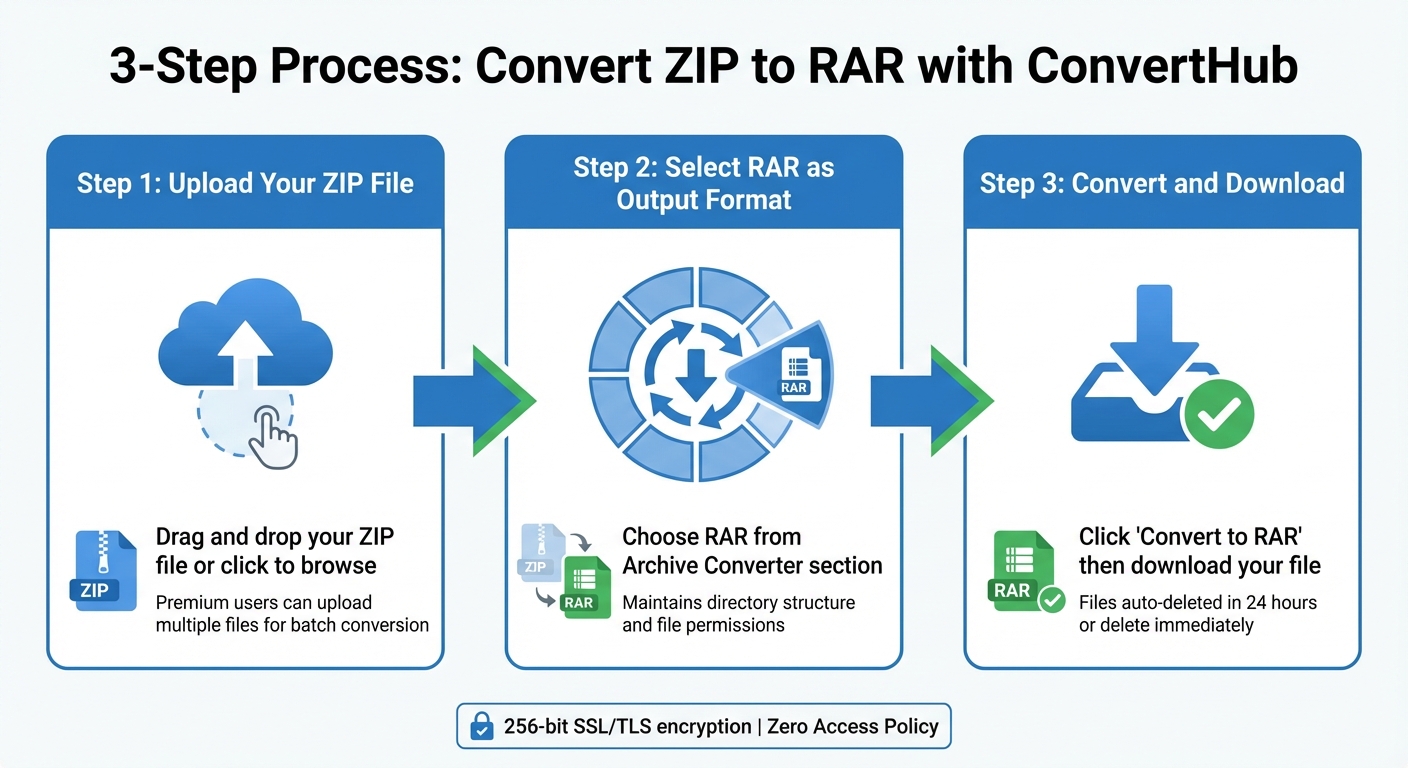
How to Convert ZIP to RAR in 3 Simple Steps
If you're looking to take advantage of RAR's better compression and security features, ConvertHub makes it simple to convert your ZIP files directly from your browser - no software installation needed.
Step 1: Upload Your ZIP File
Head to the ConvertHub website, where you'll see a clear upload area. You can drag and drop your ZIP file into the designated zone or click the area to browse and select the file from your device. If you're a premium user, you can even upload multiple ZIP files at once for batch conversion.
Once your file is uploaded, you're ready to move on to choosing the output format.
Step 2: Select RAR as the Output Format
Next, select RAR from the list of available formats. You’ll find RAR under the "Archive Converter" section, which supports various compression formats like ZIP, 7Z, TAR, and more. The conversion process will maintain your file's directory structure and permissions.
After setting the output format, you're all set for the final step.
Step 3: Convert and Download
Click the "Convert to RAR" button to begin the process. Once the conversion is complete, you'll see a confirmation message. You can then click "Download" to save your newly converted RAR file. For added peace of mind, guest files are automatically deleted within 24 hours, or you can choose to delete them immediately after downloading. ConvertHub ensures secure downloads with bank-level SSL/TLS encryption and 256-bit end-to-end protection.
Tips for Secure Online File Conversions
When converting files online, especially those containing sensitive information, prioritizing security is essential. Here’s how to keep your data safe and ensure the conversion process goes smoothly.
Protecting Sensitive Files
Check the platform's security features. For instance, ConvertHub uses 256-bit end-to-end SSL/TLS encryption to safeguard files during the upload, conversion, and download processes. Its Zero Access Policy ensures that all file handling is automated, with no manual intervention.
Delete files immediately after downloading. To protect your data, use the "Delete file now" feature for instant removal after completing the download. This is especially critical when dealing with personal records or confidential business documents.
"We recommend not uploading files containing highly sensitive personal data (such as financial records, medical information, or governmental IDs) unless absolutely necessary." - ConvertHub Privacy Policy
Strip hidden metadata from your ZIP files before uploading. Metadata, like creation dates or location data, can inadvertently expose information.
For added protection, upgrading to ConvertHub’s $9/month subscription plan might be worthwhile. It allows for priority processing, supports files up to 2 GB (compared to the 100 MB limit for free users), and gives more control over file deletion schedules.
Once your files are securely deleted, double-check the converted files to ensure all data has been accurately processed.
Checking File Integrity
After converting your files, it’s important to verify their integrity to ensure they remain intact.
Run immediate integrity checks. RAR files include CRC32 checksums and BLAKE2 hash algorithms, which can help detect any data corruption during the conversion process. Use archive software to inspect the downloaded RAR file, ensuring its internal directory structure and content remain accessible.
Compare file sizes. RAR files typically achieve better compression than ZIP files, but reductions in size should be within a reasonable range. If the file size seems unusually small, it could indicate potential data loss rather than effective compression. Additionally, RAR’s built-in error recovery and recovery records can help repair archives if they’re damaged during transfer.
Always use HTTPS connections. This ensures your data is encrypted and protected from potential interception on public networks. ConvertHub, with its 99.9% uptime and over 500 daily users, offers a reliable and secure infrastructure for your file conversion needs.
Wrapping It Up
Switching from ZIP to RAR is straightforward and secure with ConvertHub's browser-based tool. Its drag-and-drop feature and free plan support for files up to 100 MB let you start converting instantly - no registration required.
ConvertHub takes security seriously. With 256-bit end-to-end encryption and a strict Zero Access Policy, your files are safe. For guest users, files are automatically deleted within 24 hours. The platform runs on Cloudflare R2 and ISO 27001 certified data centers, ensuring reliability. Trusted by over 500 users daily, it’s a solution you can count on. Plus, flexible pricing options - free, $9/month, or pay-as-you-go - make it accessible for all kinds of users.
Whether you’re converting a single file or managing multiple archives, ConvertHub ensures efficient compression without compromising quality. It’s fully GDPR compliant, avoids tracking pixels, and boasts a 99.9% uptime for dependable service.
Want to give it a try? Head over to ConvertHub and start your first conversion today!
FAQs
Will converting ZIP to RAR change any files inside?
Converting a ZIP file to a RAR format doesn't change the files inside. It simply repackages the original archive into the RAR format, creating a new file that contains the exact same files and folders as the original ZIP, without altering their content.
How do I verify the converted RAR file isn’t corrupted?
To see if your converted RAR file is intact, you can use a program like WinRAR to test its integrity. Simply open WinRAR, select the file, and click on the "Test" option. This will help identify any errors within the file.
For extra precaution, run the file through an antivirus program to check for any malware. If the RAR file has a recovery record, you can try using WinRAR's "Repair" feature to resolve minor issues.
What should I avoid uploading for privacy and security?
Avoid uploading files that include sensitive or private information like personal data, confidential business documents, passwords, or financial details. Even though many online tools offer encryption and automatic file deletion, the safest approach is to keep highly sensitive files offline. This reduces any potential risks to your privacy and security.